
How do you get rid of old emails? Delete, archive or export
There are three ways to get rid of old emails: delete them, archive them out of the inbox, or export them to your computer and then delete them from the server. Only deleting and exporting free storage; only exporting keeps the mail.
Reviewed on .
You have three options for old email, and they do very different things.
| Option | Inbox clean? | Frees storage? | Mail kept? |
|---|---|---|---|
| Delete and empty Trash | Yes | Yes | No |
| Archive in webmail | Yes | No | Yes, on the server |
| Export to your computer, then delete | Yes | Yes | Yes, on your disk |
Delete: for mail you will never need
Newsletters, notifications, expired offers. Search by date or sender, select all matches and delete, then empty Trash. Deleted mail sits in Trash for up to 30 days and still counts until it is purged.
Archive: a clean inbox, nothing more
Archive hides mail from the inbox and keeps it searchable. It does not free space, because archived mail stays on the provider's server.
Export, then delete: keep the history, drop the storage
Old email is a record: receipts, contracts, the thread where someone agreed to something. If any of it might matter, copy it off the server before you clear it. Google Takeout and Outlook PST exports make one big file per account; a desktop archive keeps every message readable and searchable.
MailVault keeps each message as its own .eml file in a vault on your Mac, Windows or Linux computer. To get rid of old years from the server but not from your life:
Add the account in MailVault and open its Server view, which lists the mail that is still on the provider.
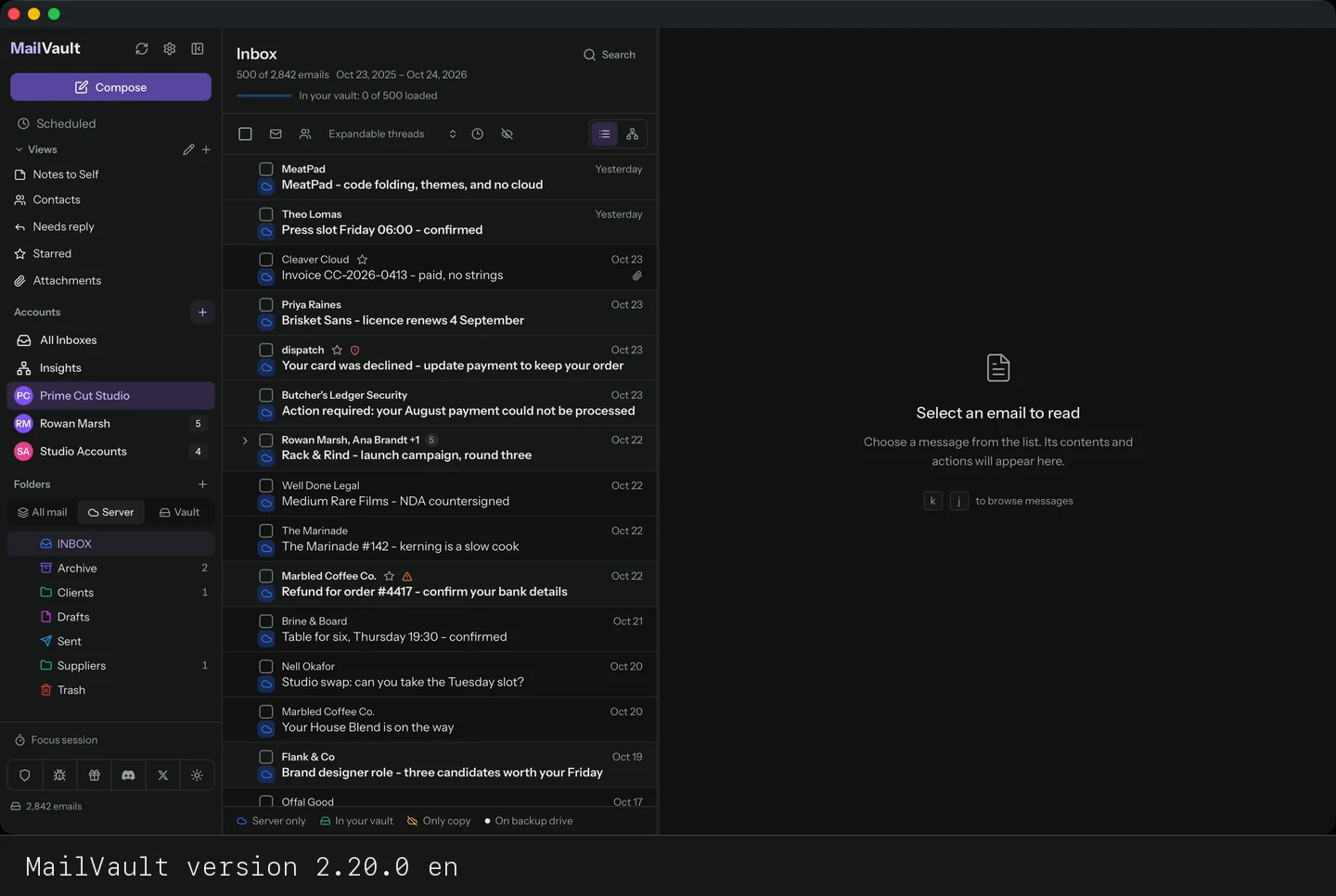
The Server view shows what is still stored at the provider. Click the Select messages box above the list. Bulk Email Operations opens and lists every year with its email count.
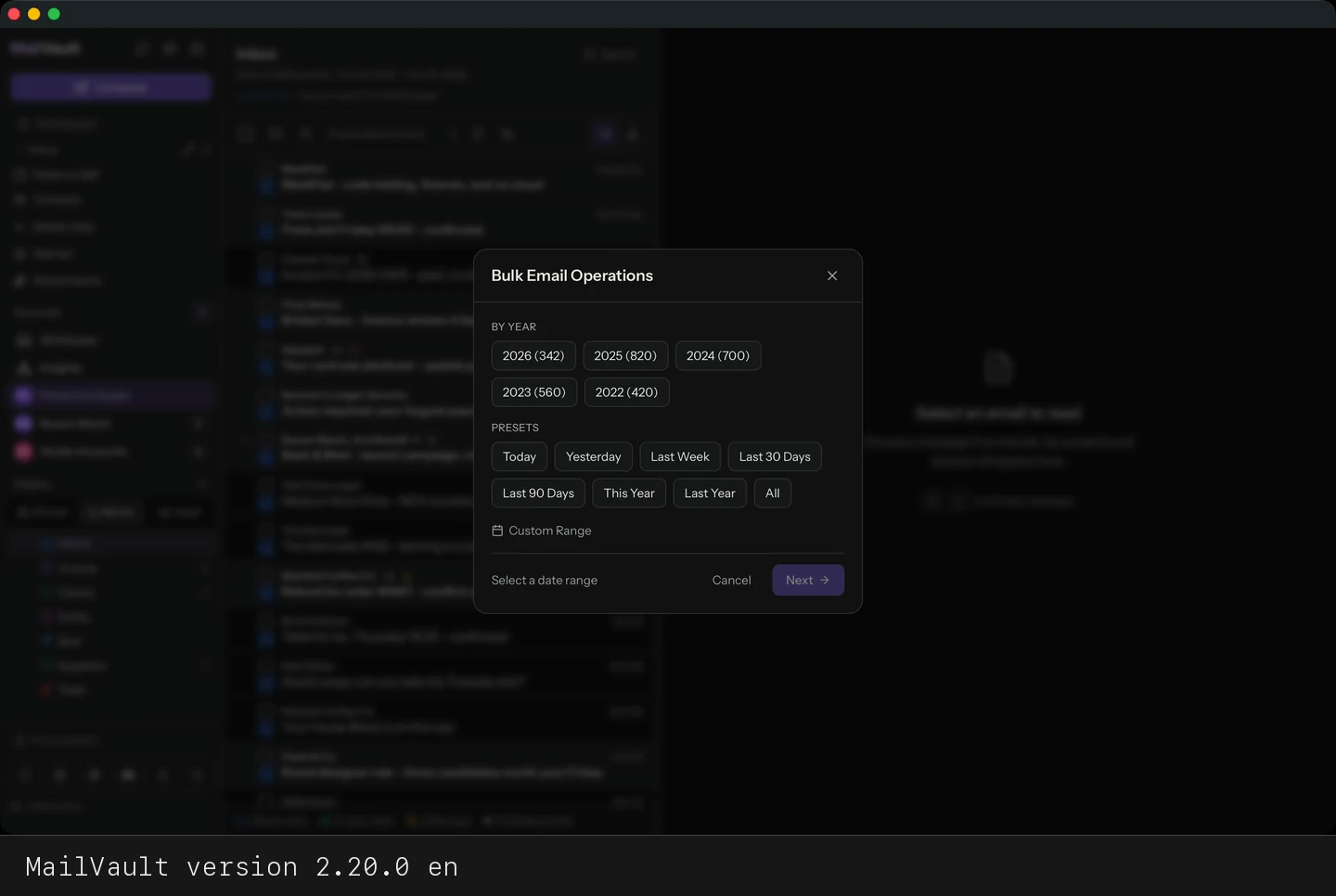
Bulk Email Operations groups the mailbox by year. Tick the years you want to clear, or set a custom date range. The dialog shows how many emails the choice selects.
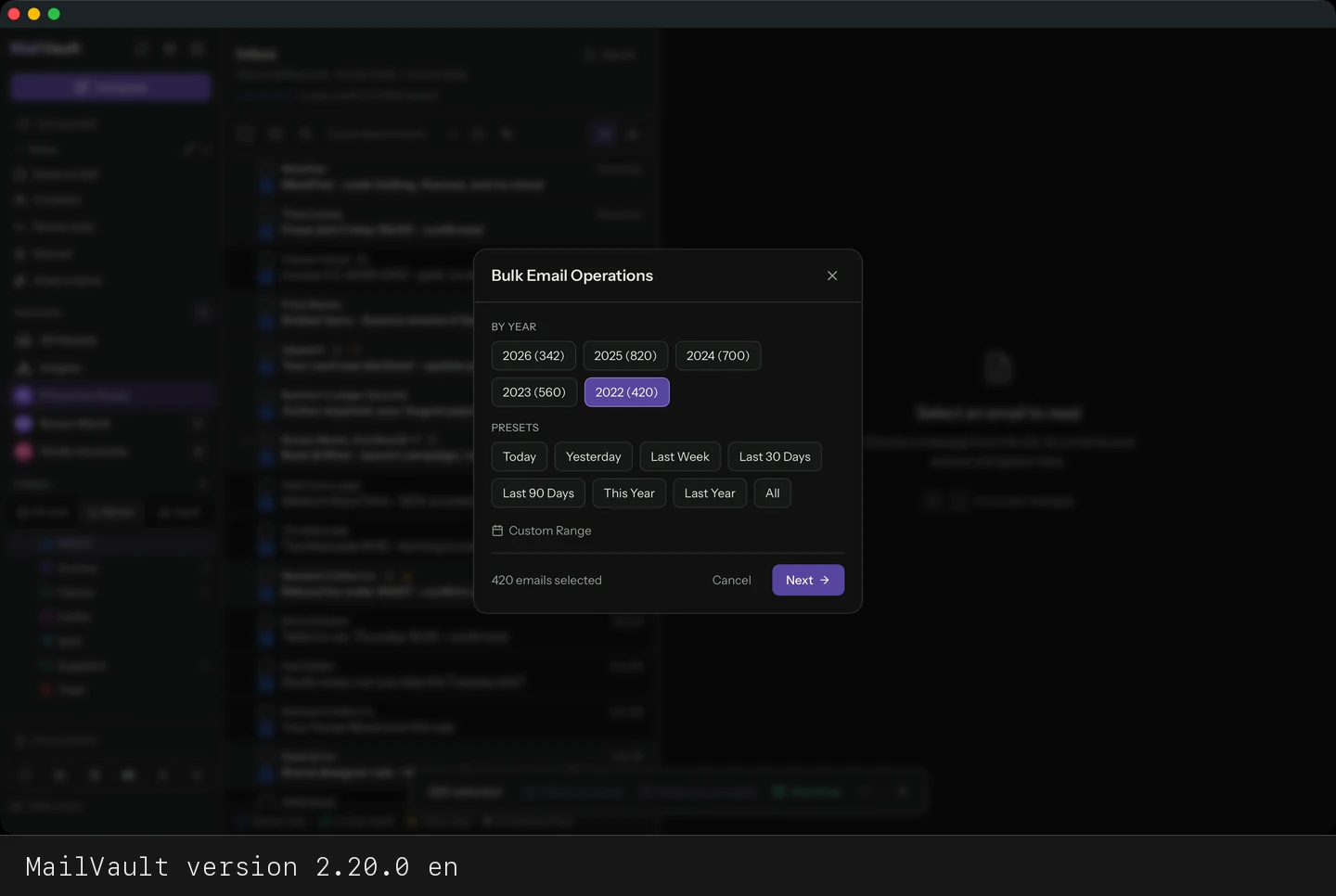
One year picked, with the number of emails it covers. Choose the action. Archive copies the emails into your vault on this computer and leaves the server alone. Archive & Delete copies each email, checks the copy, then removes it from the server.
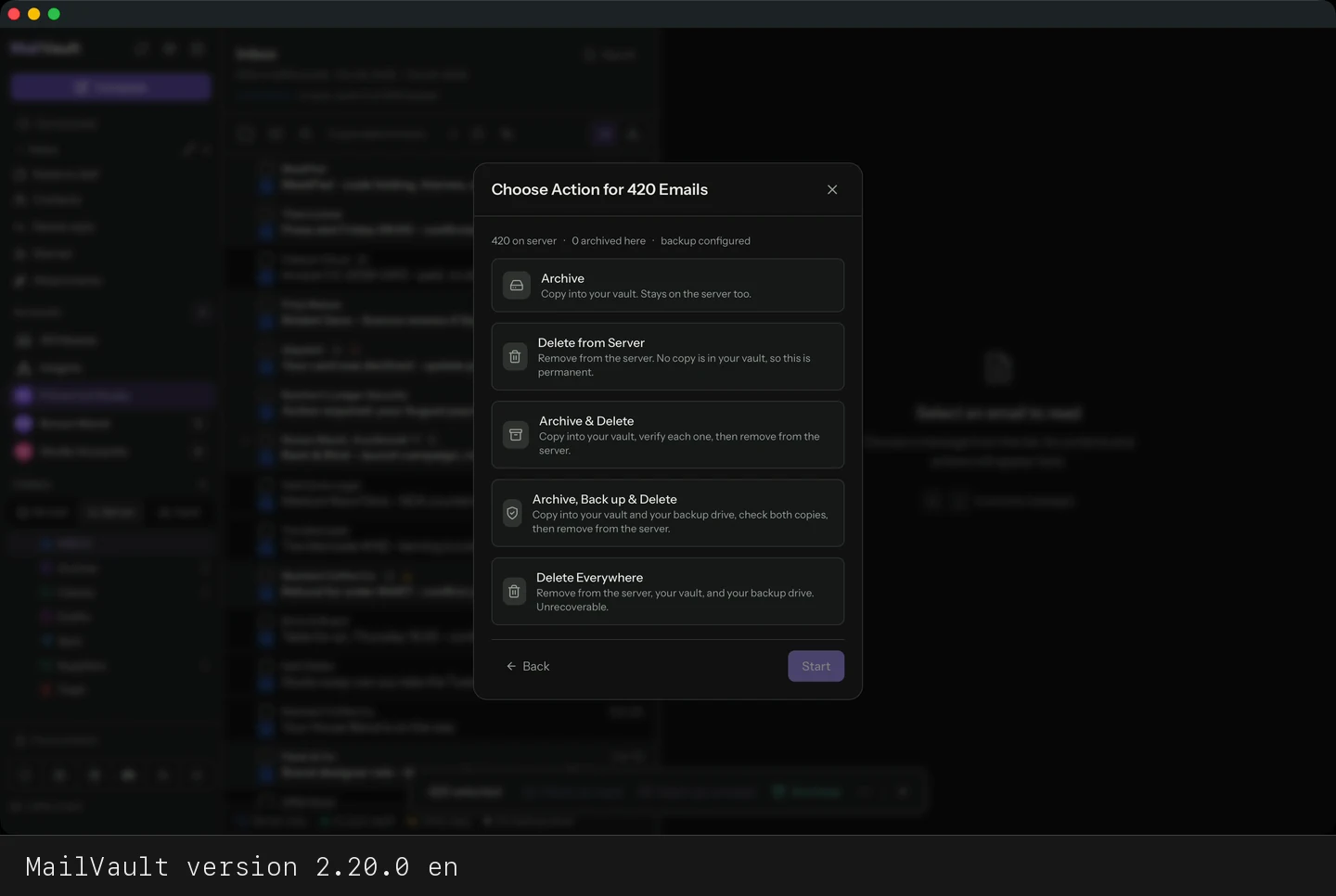
Every action says what happens to the server copy and to your vault copy. Read the confirmation and start. Progress runs in the corner of the window while you keep reading mail.
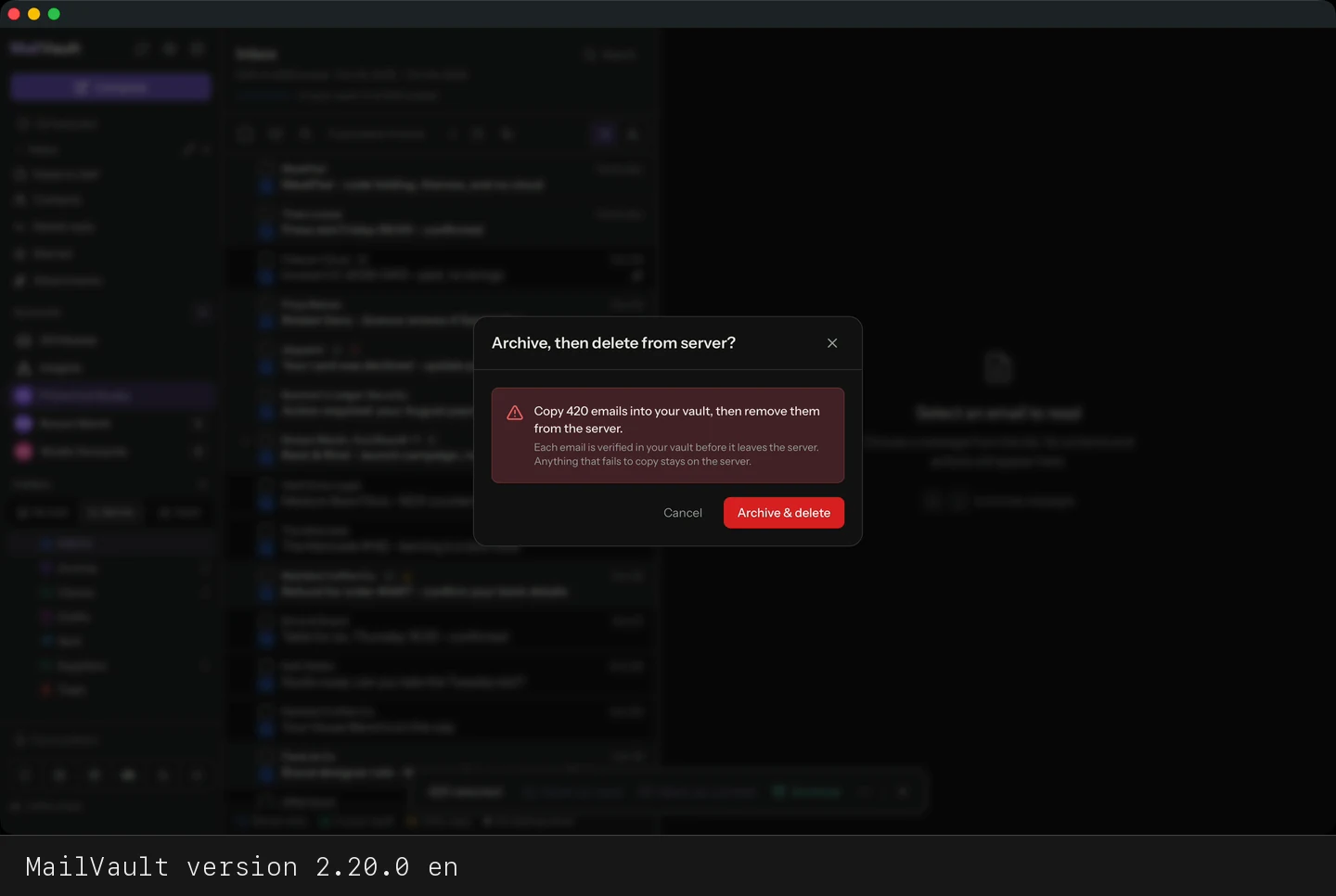
The confirmation names what will leave the server. When it finishes, the Server count drops and the Vault view still holds every archived email, searchable offline.
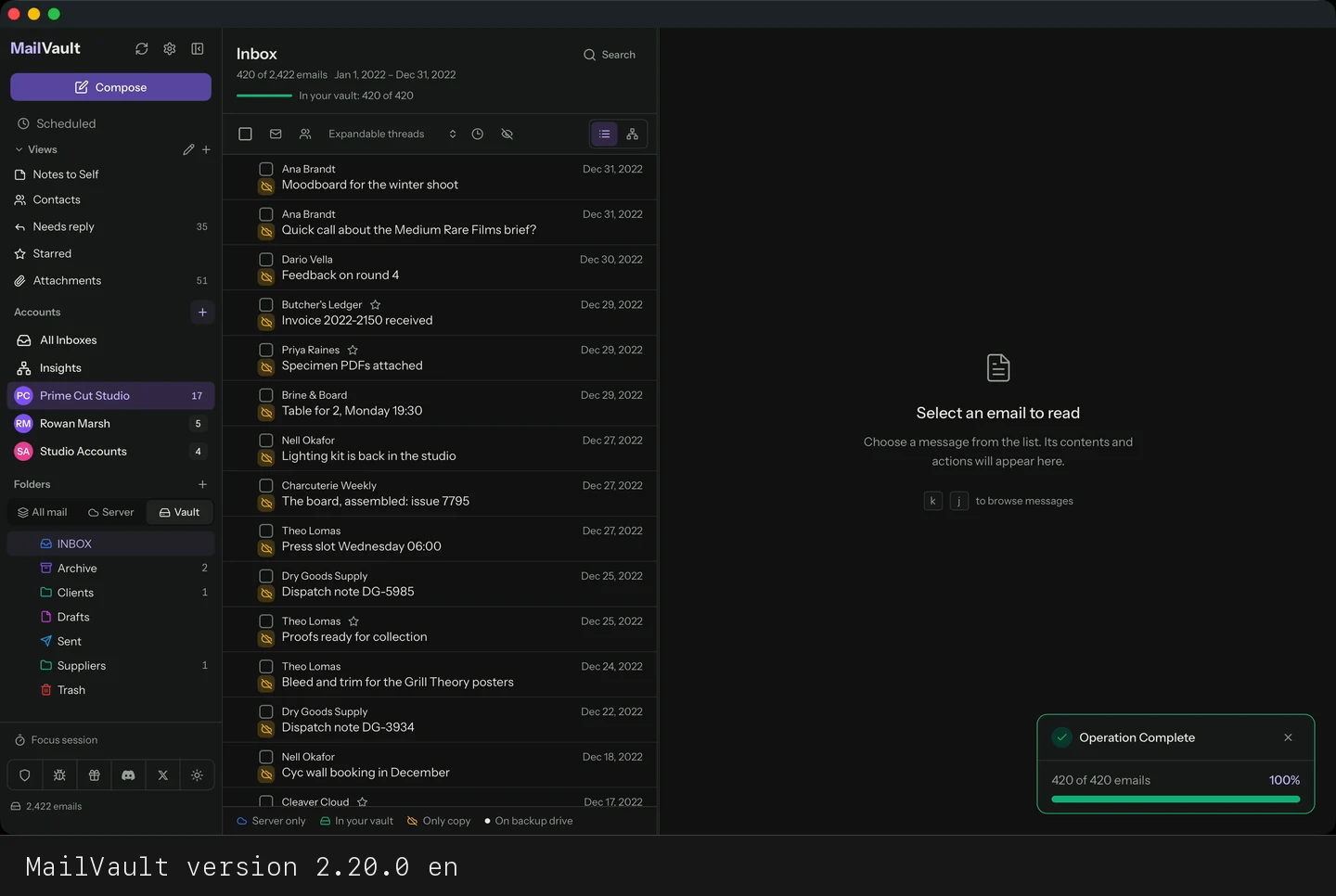
The vault keeps the emails the server no longer has.
Archive and Delete from Server are free. Archive & Delete in one step, which checks each copy before it removes the server copy, is part of Premium. On the free plan, run Archive first, check a few messages in the Vault view, then run Delete from Server on the same years.
Questions people ask
What is the best way to get rid of old emails?
If you never need them, delete and empty Trash. If you might, export them to your computer first, check the copy, then delete them from the server.
Does getting rid of old emails make my mailbox faster?
A smaller mailbox syncs faster to new phones and apps, and searches return fewer results. The main gain is storage.
Can I get old emails back after deleting them?
From Trash, usually for up to 30 days. After Trash is emptied, only a copy you saved elsewhere brings them back.