
How to clear old emails, once and then automatically
Clear old emails once with a date search and select-all delete, then keep them cleared with rules: Gmail filters, Outlook Sweep, or MailVault Auto-Cleanup rules that archive mail older than an age you set and then remove it from the server.
Reviewed on .
Clearing old emails is two jobs. First a one-time clear-out of the years that piled up. Then a rule, so you never have to do it again.
Clear old emails once
In Gmail, search for older_than:2y, select all conversations that match and delete them. In Outlook.com, search a folder for older mail, select it and delete, then empty Deleted Items. In Apple Mail, sort by date and delete from the bottom. Empty Trash at the end, or the space does not come back.
Keep them cleared with rules
Gmail filters act on new mail: archive or delete a newsletter as it arrives. They do not clear mail by age, so old mail still needs a search now and then.
Outlook.com Sweep can keep only the latest email from a sender, or delete their emails older than 10 days, and keep doing it.
Unsubscribe from what you never read. The cheapest email to clear is the one that never arrives.
Clear old emails automatically with MailVault
MailVault Premium adds Auto-Cleanup in Settings, Storage. A rule names a folder, an account or all accounts, an age, and an action. Archive then delete copies each email into your vault before it removes it from the server; Delete from server just removes it. Rules run in the background, and Run All Now runs them on demand.
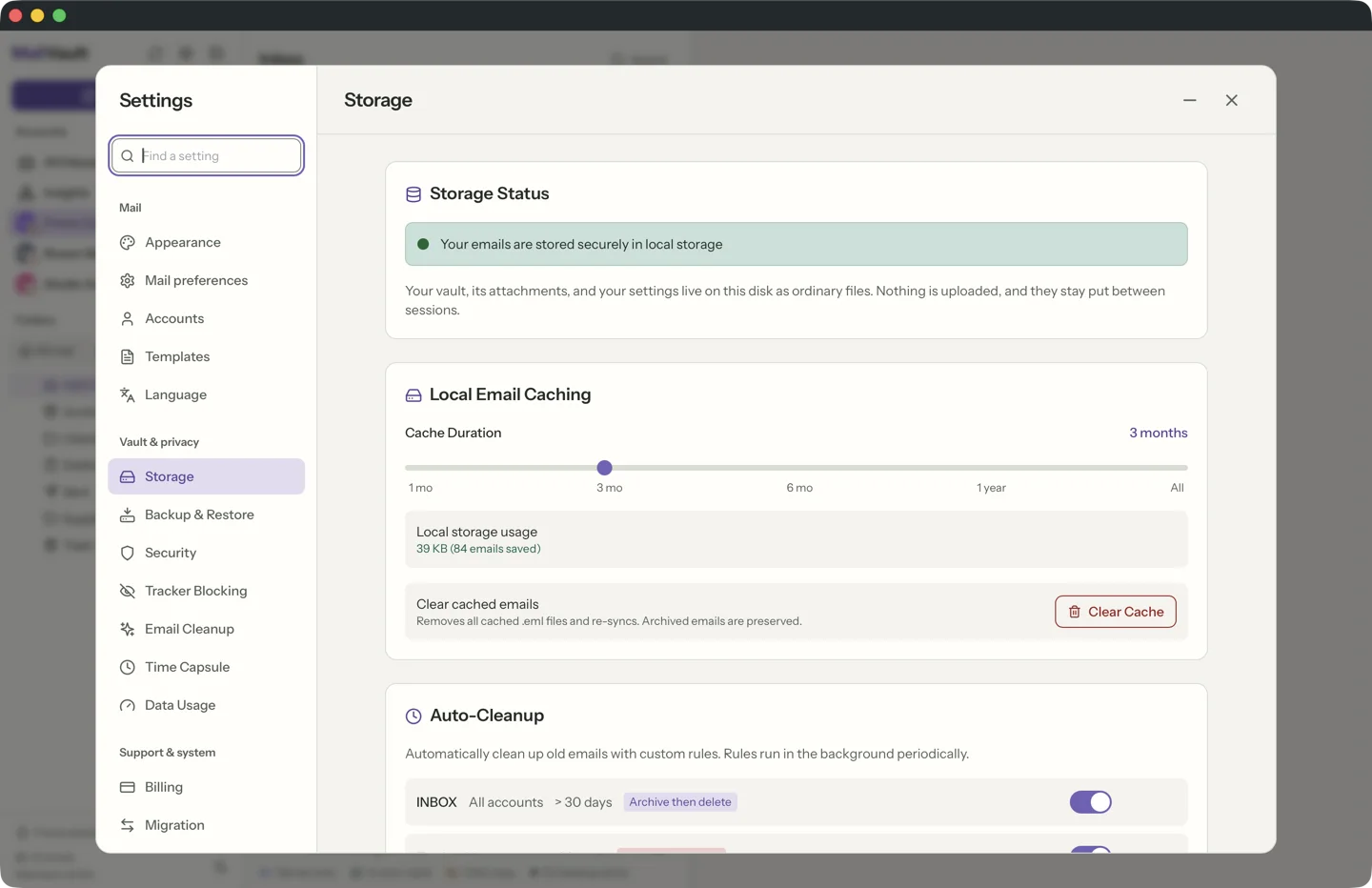
The last-run line underneath shows how many emails were archived, deleted and skipped. An email whose vault copy cannot be checked is skipped, not deleted.
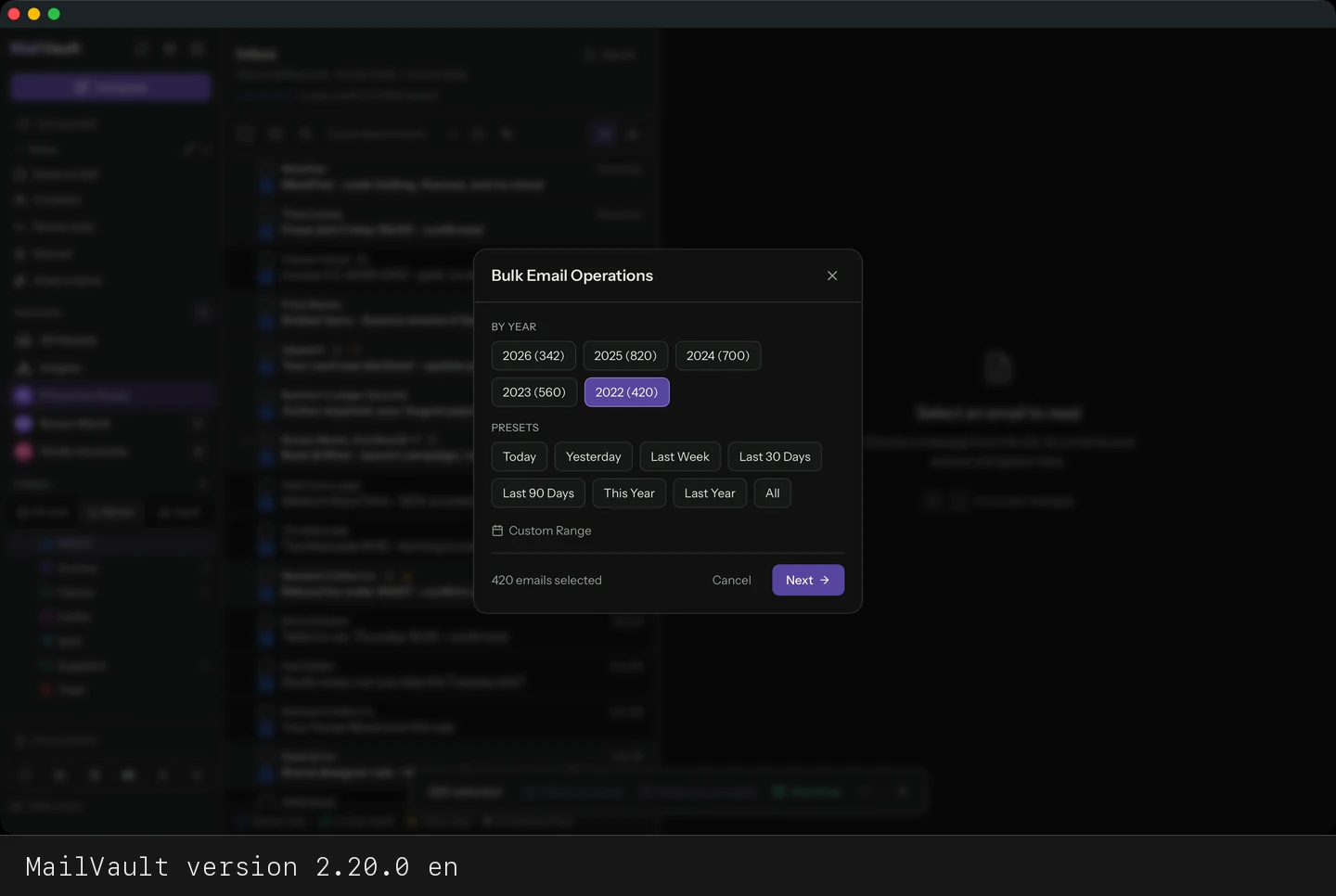
On the free plan, do the same by hand a few times a year: open Bulk Email Operations from the Select messages box, pick the old years, Archive, then Delete from Server.
Questions people ask
Can Gmail delete old emails automatically?
Not by age on its own. Filters act on new mail as it arrives. To clear old mail, run a search such as older_than:2y and delete the results, or use an app that runs age rules for you.
What is the difference between clearing and archiving?
Clearing removes mail from the server so it stops using storage. Archiving in webmail only hides it from the inbox; archiving in MailVault copies it to your computer.
How often should I clear old emails?
A rule that runs in the background is easier than a yearly clean-up. Pick an age, such as one or two years, and let the rule keep the mailbox at that size.