
How to delete large emails in Gmail, Outlook, Yahoo and iCloud
Find large emails with a size search, such as larger:10M in Gmail, or by sorting by size in Outlook and Apple Mail. Save the attachments you still need, delete the messages, then empty Trash so the space comes back.
Reviewed on .
A small number of large emails usually takes most of the space. One message with a 20 MB video weighs as much as several thousand plain-text emails. Find them with a size search, keep what you still need, delete the rest and empty Trash.
Gmail: search by size
Type a size operator into the Gmail search box:
larger:10Mfinds emails bigger than 10 MB. Trylarger:5Mnext.larger:10M older_than:1ykeeps the search to mail older than a year.has:attachment filename:mp4finds video attachments by type.
Select the results, use the link to select all conversations that match the search if there is more than one page, and delete. Then open Trash and empty it.
Outlook.com: sort by size and check storage
In Outlook on the web, open Settings, Account, Storage to see how much space each folder uses. In a folder, choose Filter, Sort by, Size to bring the largest emails to the top. Save any attachment you need, then delete the message and empty Deleted Items. Attachments count against your mailbox and your Microsoft cloud storage, so this frees both.
Yahoo Mail, iCloud Mail and Apple Mail
A free Yahoo Mail account now has 20 GB. Yahoo's own advice is to review large attachments first: open messages with attachments, save what you need and delete the rest. For iCloud and any other account in Mail on a Mac, choose View, Sort By, Size, delete from the top of the list, then choose Mailbox, Erase Deleted Items.
Keep what you still need before you delete
Large emails are often the ones worth keeping: signed contracts, scans, photos, invoices. Download the attachments you want, or copy the whole messages to a local archive, before you delete them from the server.
Do it with MailVault
MailVault does not sort by size. It handles the safe part: keeping a copy on your computer before the server copy goes.
Search for
has:attachmentin MailVault. Addbefore:2024-01-01to stay with old mail, orfrom:for a sender who sends big files.Click the Select messages box to select every result, then choose Archive. The emails and their attachments are copied into your vault as .eml files.
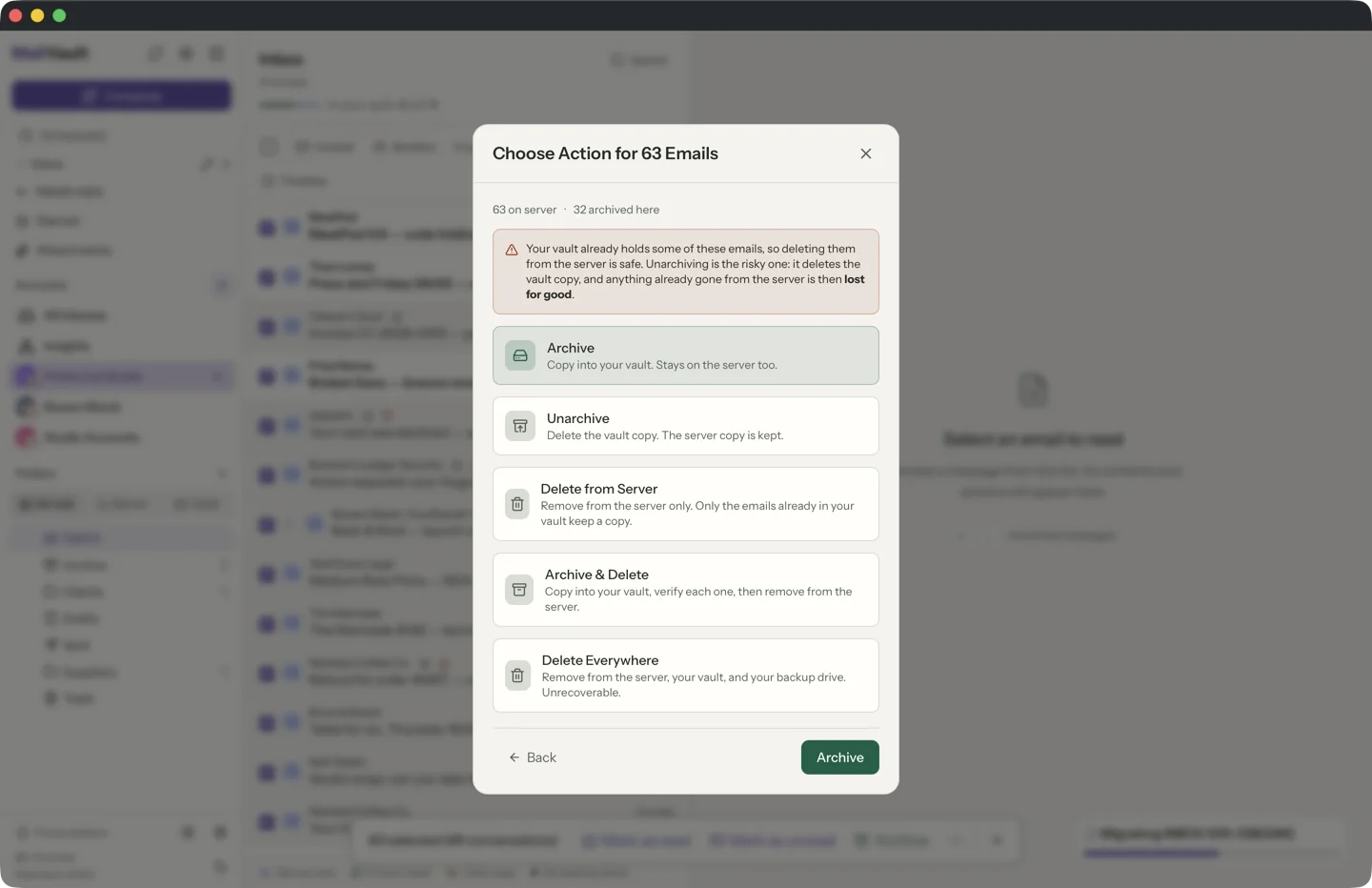
Archive copies the selection into your vault and leaves the server copy in place. Open a few of them in the Vault view to check the attachments open.
Select them again and choose Delete from Server. Your vault keeps its copy.
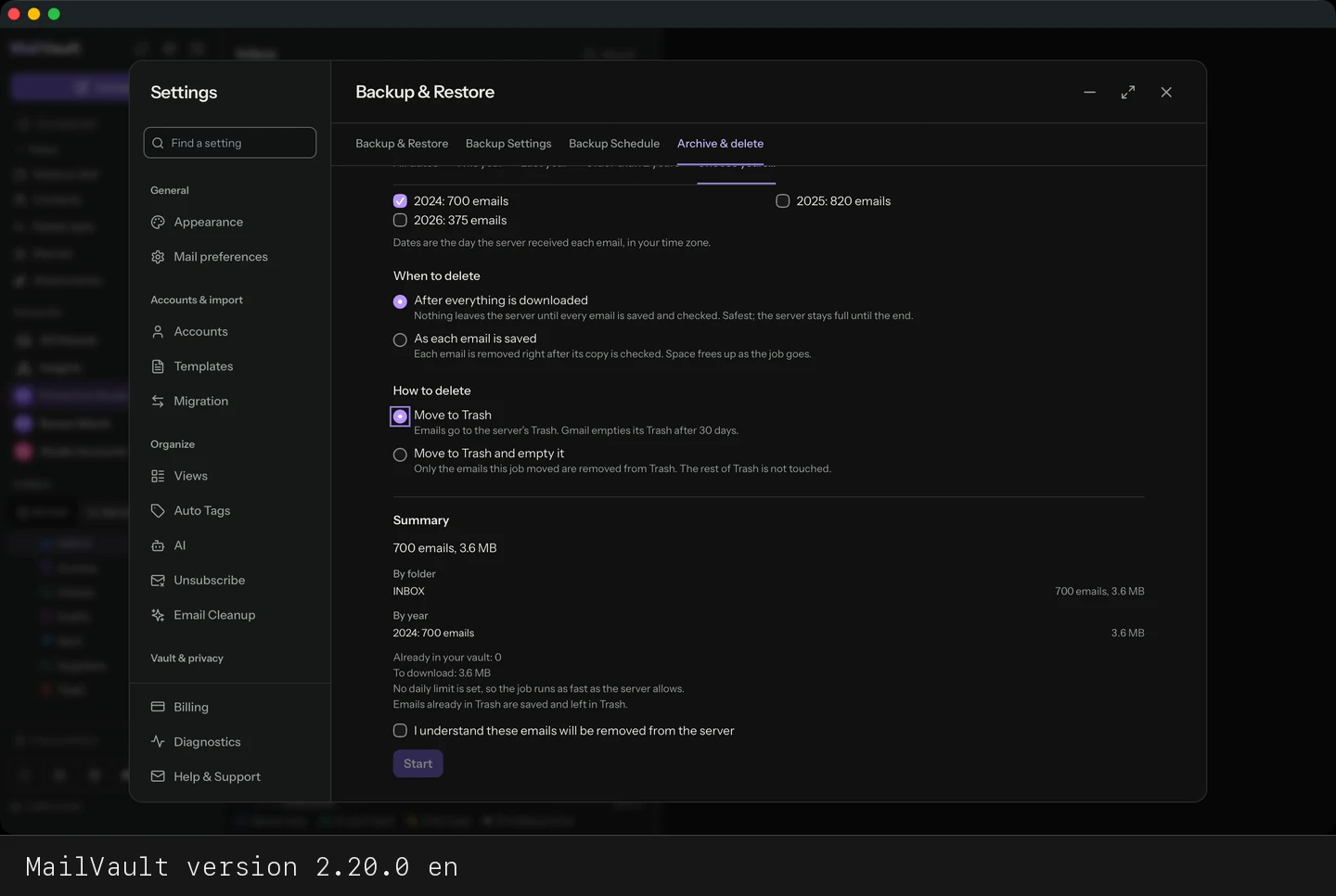
With Premium, Settings, Backup & Restore, Archive & delete sets up a job for whole folders and years. Its summary shows how many emails and megabytes each folder and year holds before anything is removed, which tells you where the space is.
Questions people ask
How do I find the biggest emails in Gmail?
Search for larger:10M, or a smaller size such as larger:5M. Add older_than:1y to stay with old mail.
Why is my storage still full after deleting large emails?
Deleted mail stays in Trash, and keeps counting, for up to 30 days in Gmail and Outlook.com. Empty Trash to free the space straight away.
Can I keep the attachments but delete the emails?
Yes. Download the attachments, or copy the whole messages to a local archive, before you delete them from the server.