
Outlook storage full: find out what is full, then fix it
When Outlook says your storage is full, first find out which storage is full. A free Outlook.com account (this includes Hotmail and Live.com addresses) has two limits: 15 GB for email, and 5 GB of Microsoft cloud storage that OneDrive and Outlook.com attachments share. A work or school account has a mailbox limit that your organization sets. When a free limit is reached, Outlook.com stops sending and receiving email. This page helps you find what is full and choose a fix. For the hands-on cleanup steps, read how to free up space in Hotmail and Outlook.com. For a short overview, see Outlook.com or Hotmail mailbox full.
Quick answer
- In Outlook.com, open Settings > Account > Storage to see your email storage. Then check your Microsoft cloud storage too.
- Empty Deleted Items. It counts against your storage until you empty it.
- Still full? Save a copy of your old mail on your computer, check the copy, then delete that mail from Outlook.com.
- Buy more storage only if you need all of your old mail online, on every device.
Changes can take up to 24 hours to show.
What happens when Outlook storage is full
Microsoft describes three situations. All of them stop your email, so it is worth acting the same day.
- Your Outlook.com mailbox is full. You cannot send or receive email in Outlook.com. Emails that people send to you are returned to them. They must send the email again after you have space.
- Your Microsoft cloud storage is full. You also cannot send or receive email in Outlook.com, even when your mailbox still has room. Your OneDrive files become read-only, and new files do not upload or sync. Microsoft says that after 6 months it might delete your OneDrive and the files in it.
- Your work or school mailbox is full. You cannot send or receive messages, and people who email you get an error message that says your mailbox is full. Before that, Microsoft sends warning emails and in-app messages as the mailbox gets close to full.
Step 1: Find out what kind of account you have
The fix depends on who sets the limit. Use the table to find your row.
| Account | What sets the limit | Where to check | Who can raise it |
|---|---|---|---|
| Free Outlook.com, Hotmail or Live.com | 15 GB for email, plus 5 GB of Microsoft cloud storage | Outlook.com: Settings > Account > Storage. Cloud storage: the Microsoft storage page of your Microsoft account | You: clean up, archive, or buy Microsoft 365 |
| Outlook.com with Microsoft 365 Basic, Personal or Family | 100 GB for email. Cloud storage depends on the plan, so check Microsoft's plan page for the current amount | The same pages as a free account | You, but personal mailboxes stop at 100 GB |
| Work or school account (Microsoft 365 or Exchange) | Up to 100 GB per mailbox. Your administrator can set a lower limit | New Outlook: Settings > Accounts > Storage. Outlook on the web: Settings > Account > Storage | Your IT administrator |
| Classic Outlook for Windows data file (.pst or .ost) | A size limit on the file on your PC. Microsoft documents a default of 50 GB | File > Tools > Mailbox Cleanup | You or your IT administrator |
The Outlook app on your Mac, PC or phone usually shows the same mailbox as the website. If Outlook.com says the mailbox is full, the app says so too, and space you free in one place is freed everywhere.
Step 2: Mailbox or cloud storage?
On a personal account, the two limits fill up for different reasons. Your mailbox holds your emails, contacts and calendar. Your Microsoft cloud storage holds OneDrive files and photos, the OneDrive recycle bin, and, according to Microsoft, your Outlook.com attachments. So a OneDrive full of photos can stop your email, even if you never touch your inbox.
Microsoft's own help pages do not all describe this split in the same way. Do not guess. Look at both numbers before you delete anything.
The 5-minute checks
- Check your email storage. Sign in to Outlook.com and select Settings > Account > Storage. You see how much space each folder uses.
- Check your cloud storage. Sign in to your Microsoft account and open the Microsoft storage page. The What is Microsoft cloud storage? help page explains what counts toward it.
- Look at Deleted Items. It counts against your storage until you empty it, or until each item is removed after 30 days.
- Did you use Sweep? Emails removed with Sweep do not reduce your storage until they are also deleted from Deleted Items.
- Look at Junk Email. Outlook.com deletes Junk Email items after 10 days, so this folder is rarely the problem.
- Check the OneDrive recycle bin if cloud storage is the full one. It counts too.
The Storage page can also permanently delete all items in a folder, or only items older than 3, 6 or 12 months. That is fast, but it is permanent. Use it only on folders you do not need, or that you have already copied.
Your three options, in order
1. Clean up
Empty Deleted Items, delete newsletters you do not read, and find the largest emails with Filter > Sort by > Size. This is free and often enough when you are only a little over the limit. The full step list, with what to keep, is in free up space in Hotmail and Outlook.com.
2. Keep old mail on your computer, then delete it online
Most full mailboxes are full of old mail that you rarely open but do not want to lose. You can download a copy of that mail to your computer, check the copy, and then delete the mail from Outlook.com. The space comes back, and the mail is still there when you need it.
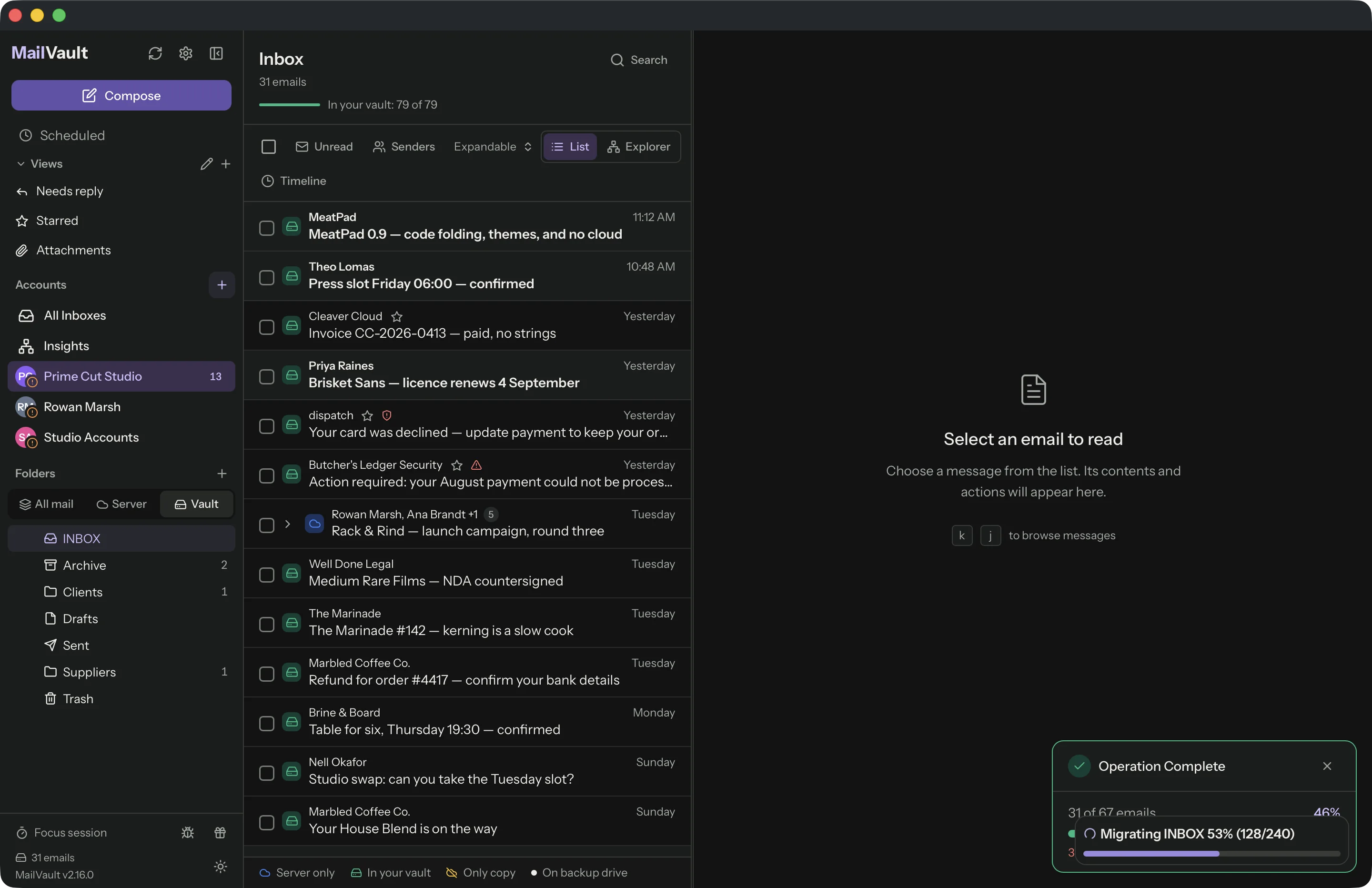
MailVault is a free desktop app for macOS, Windows and Linux that does this. It saves each email as a standard .eml file on your computer. With the free app you do it in two steps: Archive copies the mail into your vault, then Delete from Server removes it from Outlook.com. The one-step Archive & Delete, which checks each copy before it removes the server copy, is part of Premium. See how Archive & delete works.

3. Buy more storage
Microsoft 365 Basic, Personal and Family raise your email storage to 100 GB. The 100 GB mailbox is not part of a Microsoft 365 trial. Prices change by country, so check them on Microsoft's site. This is the right choice when you need every old email on your phone and on the web. It does not stop your mailbox from growing. We compare the two approaches in archiving locally vs paying for more storage.
| Option | Cost | Old mail after | Good when |
|---|---|---|---|
| Clean up | Free | What you delete is gone | You are a little over the limit, or Deleted Items is large |
| Archive locally, then delete | Free with MailVault (two steps); one-step Archive & Delete is Premium | On your computer, readable and searchable offline | Years of old mail that you rarely open |
| Buy Microsoft 365 | A subscription; see Microsoft's prices | Online, on every device | You need all old mail on your phone and the web |
When to pick which
- Mail is bouncing right now. Empty Deleted Items first. It is quick, and it removes only mail you already deleted. Then plan a longer fix this week.
- The mailbox is full of old mail. Archive it locally, then delete it from Outlook.com. This can free a lot of space without losing anything.
- Cloud storage is full, and OneDrive holds most of it. Deleting email helps only a little. Move or delete OneDrive files, empty the OneDrive recycle bin, or buy storage. Removing old emails with large attachments helps too.
- It is a work or school account. Ask your IT administrator first. Your organization may have an archive mailbox for you. Do not copy work mail to a personal tool if your company rules do not allow it.
- You need everything online. Buy storage, and accept that the bill continues.
If you choose to archive, make the copy first and delete second. Our guide to backing up Outlook.com email to a Mac compares the ways to make that copy, and freeing up email storage without losing old emails explains the same idea for any provider.
Notes for the Outlook desktop app
- Classic Outlook for Windows has File > Tools > Mailbox Cleanup. It shows the size of your mailbox and its folders, finds items older than a date or larger than a size, and empties Deleted Items.
- A .pst or .ost file lives on your PC. Microsoft documents a default size limit of 50 GB for these files. This limit is separate from your Outlook.com or work mailbox limit.
Frequently asked questions
How much free storage does Outlook.com have?
A free Outlook.com account has 15 GB for email and 5 GB of Microsoft cloud storage. The cloud storage is shared by your OneDrive files and photos, your Outlook.com attachments and your Microsoft 365 apps.
Can I still receive email when my Outlook storage is full?
No. When your Outlook.com mailbox or your Microsoft cloud storage is full, you cannot send or receive email. Messages sent to you are returned to the sender, who must send them again after you free up space.
How long does it take for Outlook to show the space I freed?
Microsoft says changes can take up to 24 hours to apply. Emails in Deleted Items still count until you empty the folder, so empty it first.
Will buying Microsoft 365 fix a full Outlook mailbox?
Microsoft 365 Basic, Personal and Family include 100 GB of email storage, so the limit stops being a problem for now. The 100 GB mailbox is not available during a Microsoft 365 trial. If your mail keeps growing, the bigger limit can fill up too.
Is my mail safe after I delete it from Outlook.com?
Only if you have a copy somewhere else. Items in Deleted Items are removed after 30 days. Save a copy of old mail on your computer first, and check that the copy opens, before you delete anything.
What to do next
Run the 5-minute checks today, so mail stops bouncing. Then decide what to do with your old mail. If you want to keep it without paying for more online storage, MailVault keeps a copy on your own computer as plain .eml files, and the free app can archive and delete from the server in two steps. There is no MailVault account, and your mail does not pass through a MailVault server.
Keep your old Outlook mail on your computer
Free for macOS, Windows and Linux. Source live on GitHub. Premium adds one-step Archive & Delete and scheduled backups.
Download MailVault freeSources: Microsoft Support, Storage limits in Outlook.com, Check email and cloud storage and Mailbox storage limits in Outlook (work or school accounts). Last checked: October 2026.