
How to archive mail in Gmail, and where it goes
To archive mail in Gmail, select the messages and click Archive, or press E. The mail leaves your inbox but stays in All Mail and still uses your Google storage. Here is how to archive on a computer and phone, archive in bulk, find archived mail and archive it to your own computer.
Reviewed on .
Archiving in Gmail takes a message out of your inbox without deleting it. The email moves to All Mail, where search still finds it. It is the right button for mail you are done with but might need again. It is not a way to free space: archived mail still counts towards your Google storage.
Archive mail in Gmail on a computer
Open Gmail in a browser.
Tick the box next to each message, or open one message.
Click Archive at the top.
With keyboard shortcuts turned on in Gmail settings, press E to archive the selected or open message.
Archive mail in the Gmail app on iPhone or Android
Open the message and tap the Archive icon at the top, or swipe the message in the inbox list. If swiping deletes instead of archives, change the swipe action in the app's settings.
Archive many emails at once
Search for the mail you want to archive, for example
in:inbox before:2024/01/01.Tick the select-all box above the list. Gmail selects the messages on that page.
Click the link to select all conversations that match the search, then Archive.
To archive a sender automatically from now on, create a filter from the search options and tick Skip the Inbox (Archive it).
Find archived mail, or move it back
Open All Mail in the left menu (under More on a computer), or search for the sender or subject. To bring a message back, select it and choose Move to Inbox.
Does archiving free up Gmail storage?
No. Archived mail is still in your account and counts towards the 15 GB Gmail shares with Google Drive and Google Photos. To get space back, delete mail and empty Trash, starting with large attachments. Google says the storage figure can take a day or more to update after a big clean-up.
Archive Gmail to your own computer
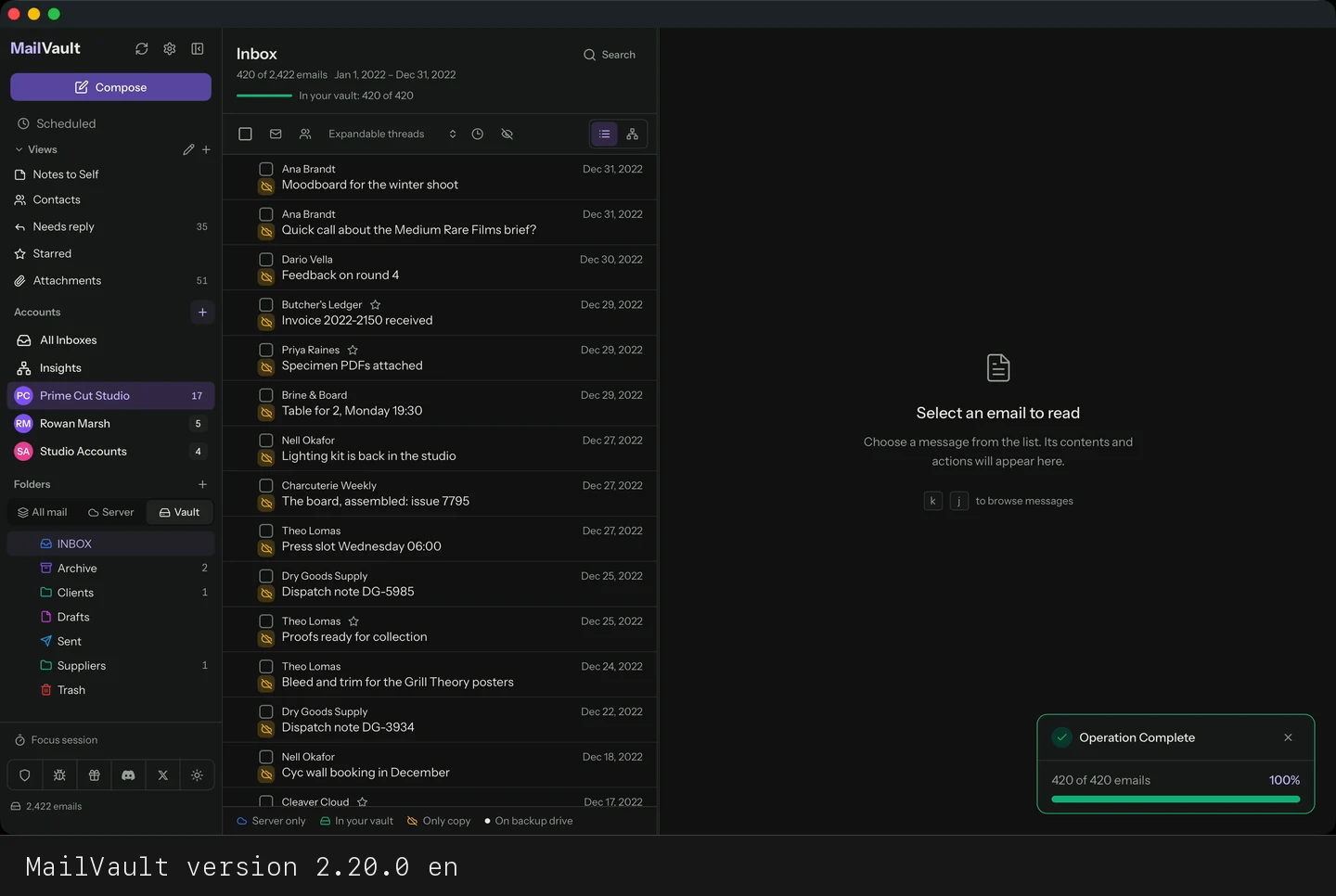
If you want the history kept but not stored at Google, archive it locally. MailVault signs in to Gmail with Google, then copies mail into a vault on your Mac, Windows or Linux computer as standard .eml files you can search offline. Its Archive action copies; the Gmail copy stays until you delete it.
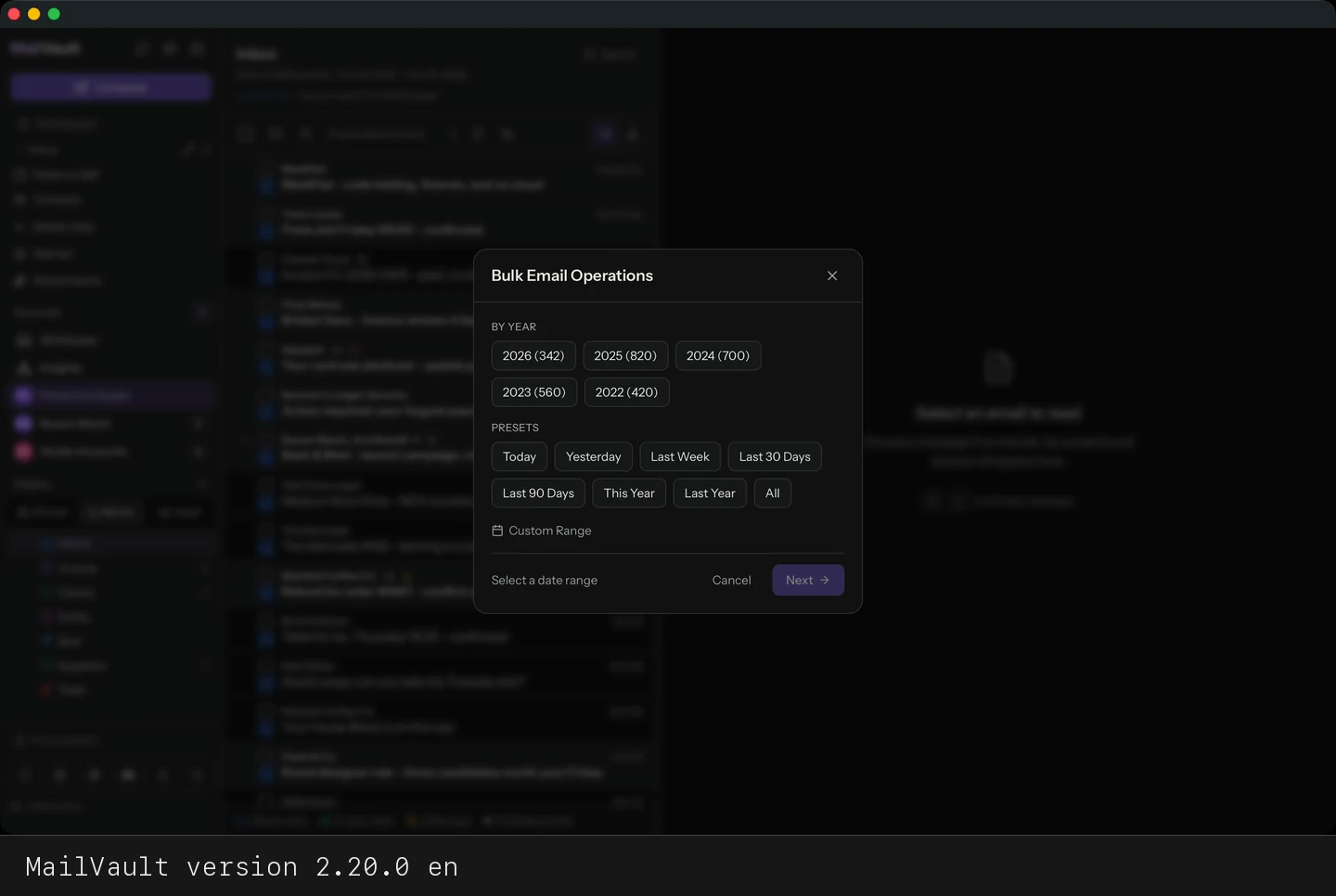
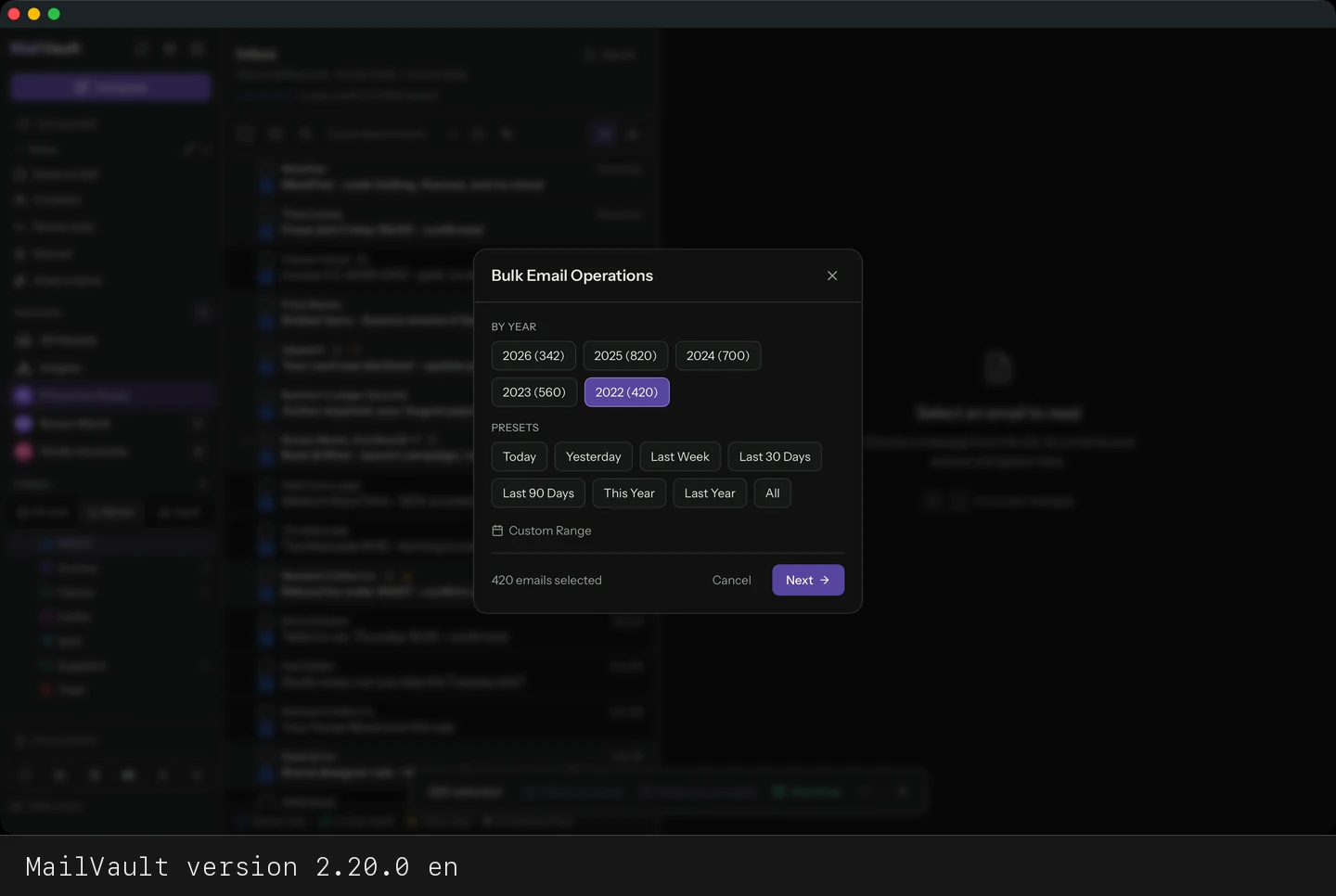
Click the Select messages box above the list to open Bulk Email Operations, pick the years, choose Archive and start. Archiving is free and unlimited. When the copy is in your vault and you have opened a few messages to check it, you can remove those years from Gmail and get the storage back.
Questions people ask
Where do archived emails go in Gmail?
To All Mail. Archiving takes the message out of the inbox; it keeps its other labels and turns up in search.
Does archiving in Gmail delete the email?
No. The email stays in your account and still counts towards your Google storage.
How do I unarchive an email in Gmail?
Open All Mail or search for the message, select it and choose Move to Inbox. A reply to an archived conversation also brings it back to the inbox.