Best Private Email App: 7 Privacy Features That Matter in 2026
On this page
- What makes an email app private
- 1. Your mail stays on your computer
- 2. Tracking pixels are found and stripped
- 3. Search runs on your device
- 4. Phishing checks before you click
- 5. See every server the app talks to
- 6. Privacy mode for screens other people can see
- 7. AI that can stay on your computer
- What a private email app cannot do
- Private email app checklist
- Related guides
A private email app keeps your mail on a device you control, tells you what leaves that device, and refuses to report back to the people who send you mail. Most apps that call themselves private do one of those three. This article lists the privacy features that matter in a desktop email app, explains what each one protects, and shows how MailVault handles them on macOS, Windows and Linux.
What makes an email app private
Start with the path a message takes. Your provider delivers it, an app downloads it, and from then on the app decides where the copy lives, who indexes it and what the message is allowed to load. A private email app answers four questions plainly:
- Where is my mail stored? On your disk, or on the app maker's servers as well?
- Who runs search? Your computer, or a hosted service that receives every query?
- What does an opened message report? Tracking pixels and remote images tell senders when and where you read.
- What else does the app send? Telemetry, crash reports and analytics travel even when your mail does not.
An app that answers all four with "your computer" and "nothing you did not choose" is private in a way you can check. Everything below is a test you can run yourself.
1. Your mail stays on your computer
MailVault has no account and no mail server of its own. You sign in with your email provider, and the app keeps a copy of each message in a vault on your computer as a plain .eml file in a Maildir folder. Nothing about your mail passes through MailVault servers, and you can open the files in other mail apps if you ever leave.
Passwords and sign-in tokens go to the operating system's credential store: macOS Keychain, Windows Credential Manager or Linux Secret Service. On macOS the app runs sandboxed. See no account to create and the local vault for the details.
2. Tracking pixels are found and stripped
Most marketing mail and many personal tools embed a one-pixel image. When it loads, the sender learns that you opened the message, when, and roughly where. MailVault finds those pixels on every message and names the tracker on the row, free for everyone. With Premium, it strips them from the HTML before the message renders, so the sender is never told you opened it.
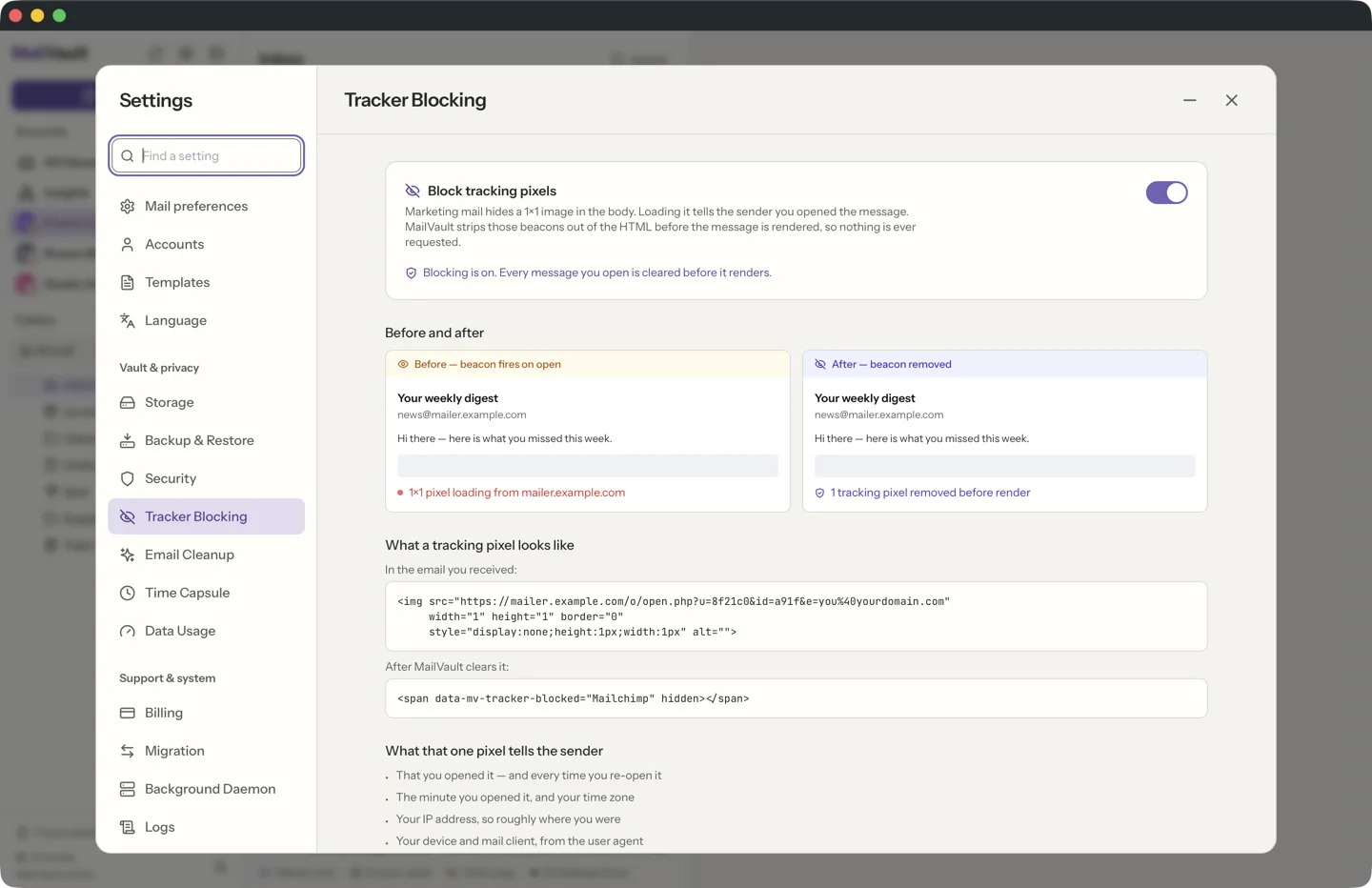
Remote images and other outside content stay unloaded until you choose Load external content for that message. Read more in email tracker blocking.
3. Search runs on your device
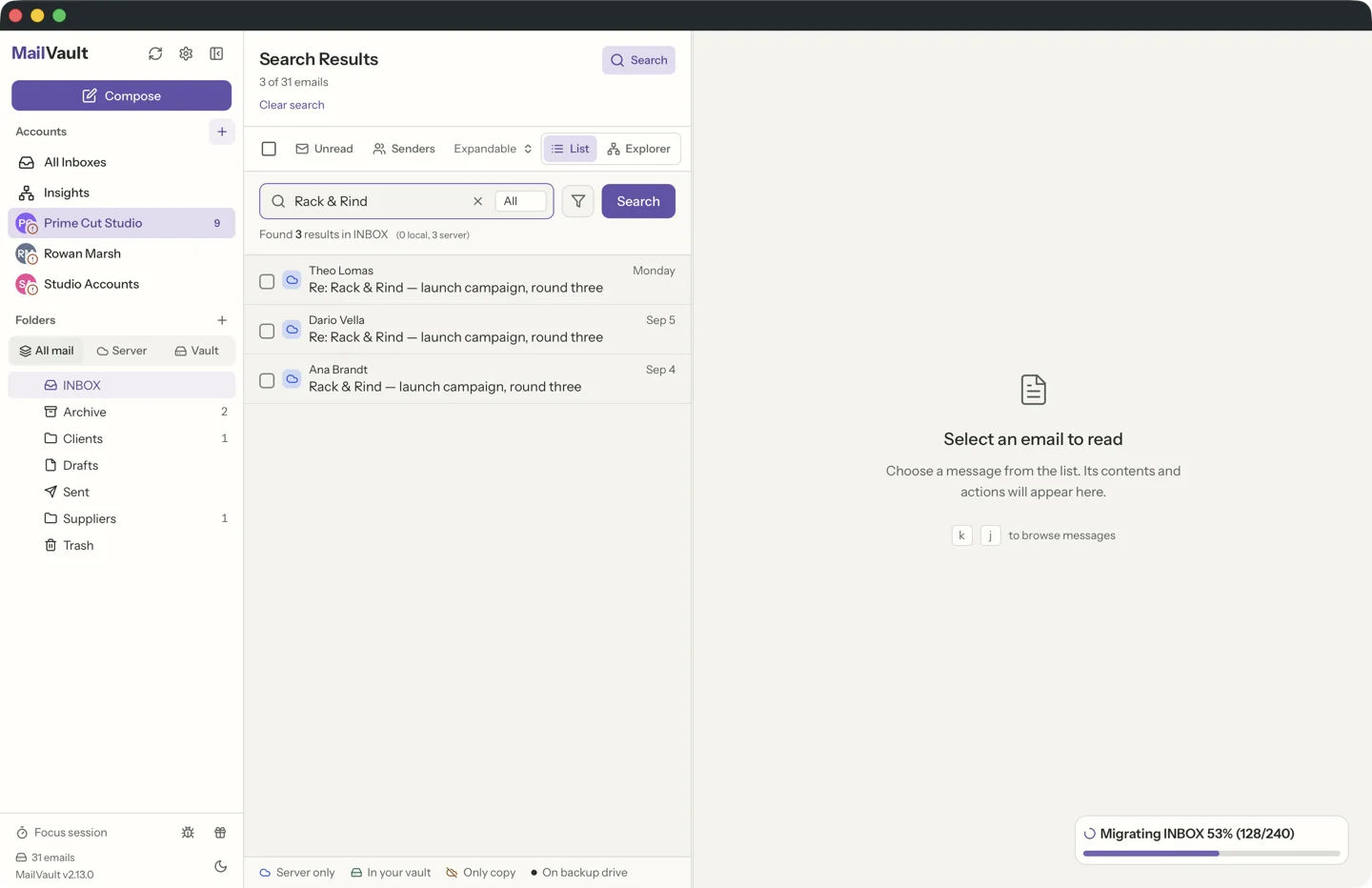
Search reveals more than any single message: what you look for, how often, and about whom. MailVault indexes the vault on your computer and answers queries there, with no search service in the middle. Saved mail stays searchable offline, and you can narrow results by sender, date or folder.
4. Phishing checks before you click
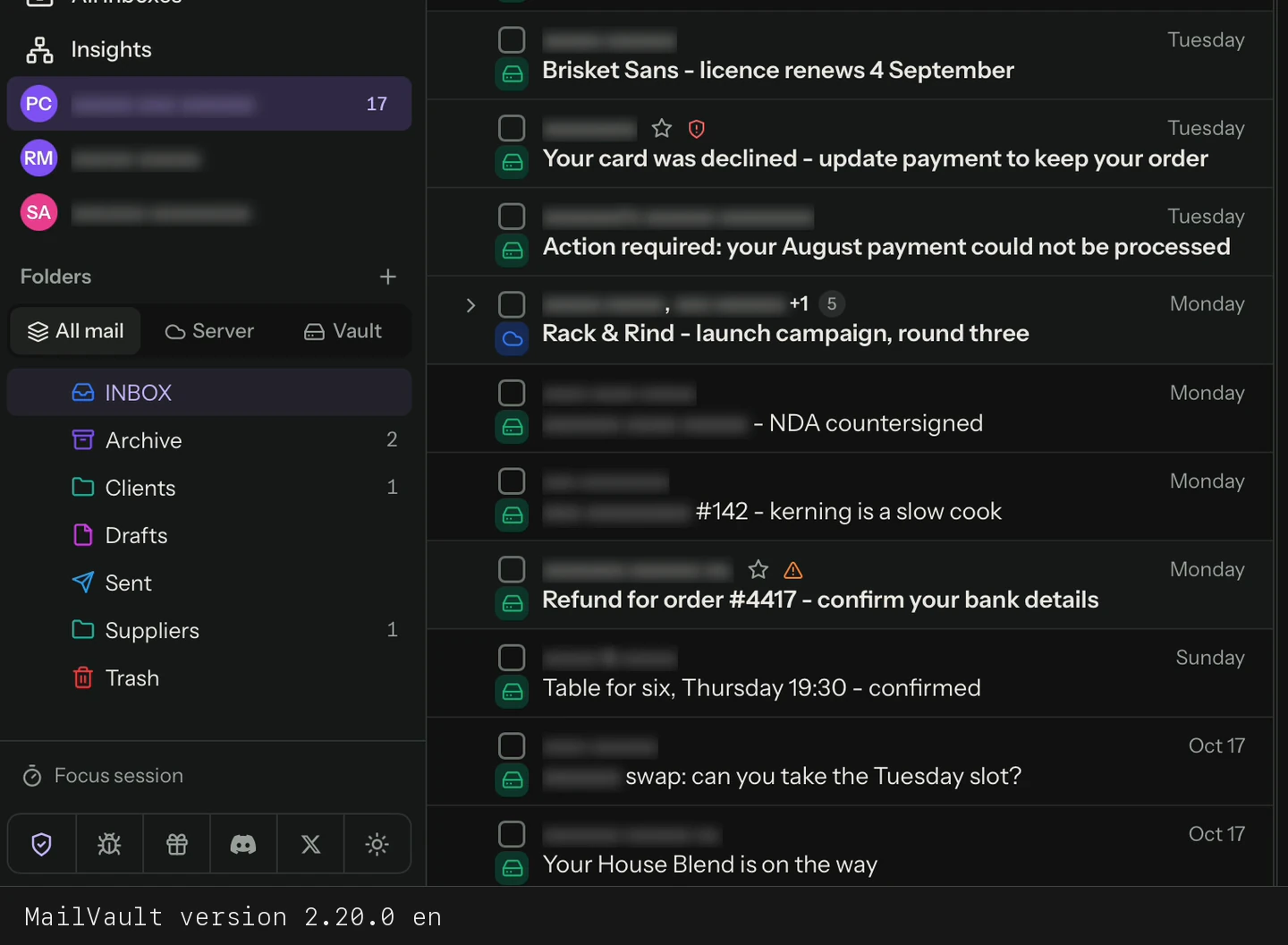
Privacy also means not handing your password to someone pretending to be your bank. Every message in MailVault shows whether it passed the SPF, DKIM and DMARC checks that prove it came from the domain it claims. When a friendly sender name hides a different address, the app says so.
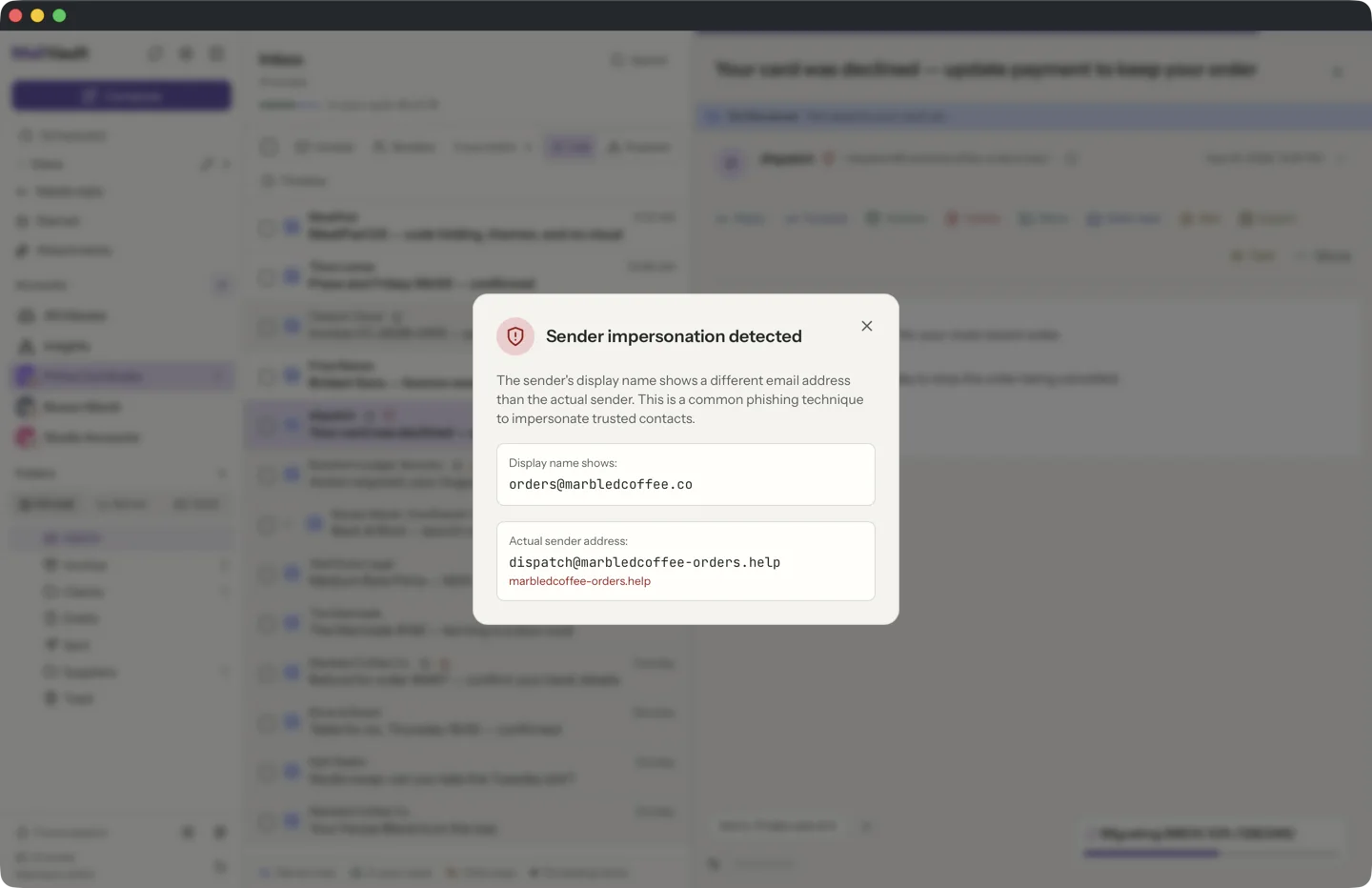
Links get the same treatment. Phishing mail shows one address and links to another; MailVault compares the two and warns you before the browser opens.
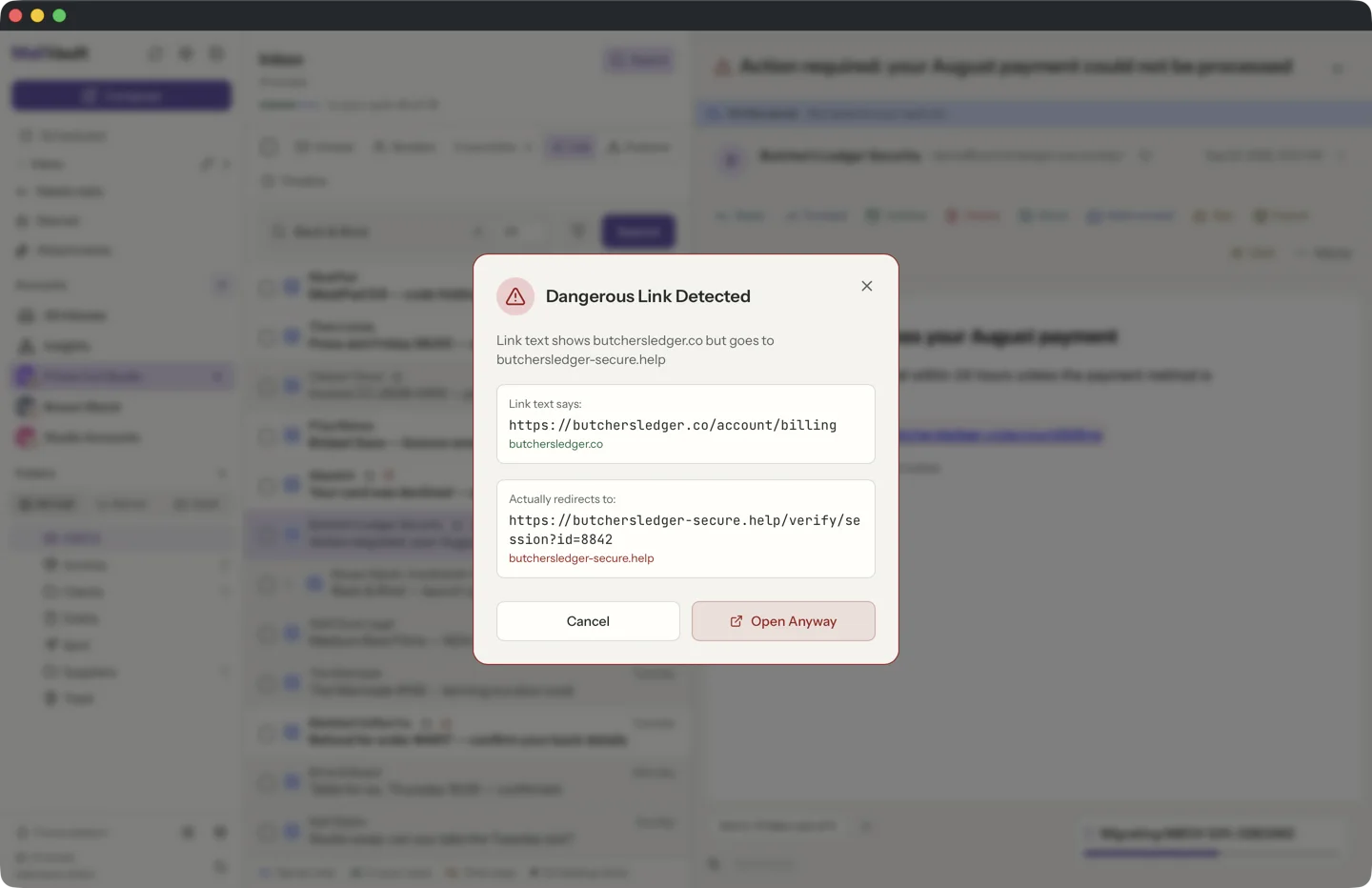
More in sender verification and link safety.
5. See every server the app talks to
"We respect your privacy" is a claim. A list of connections is evidence. MailVault's Network Activity view lists the servers the app and its background helper contacted, why, and how much they sent and received, newest first. The list itself never leaves your computer. There is no telemetry to switch off, because there is none.
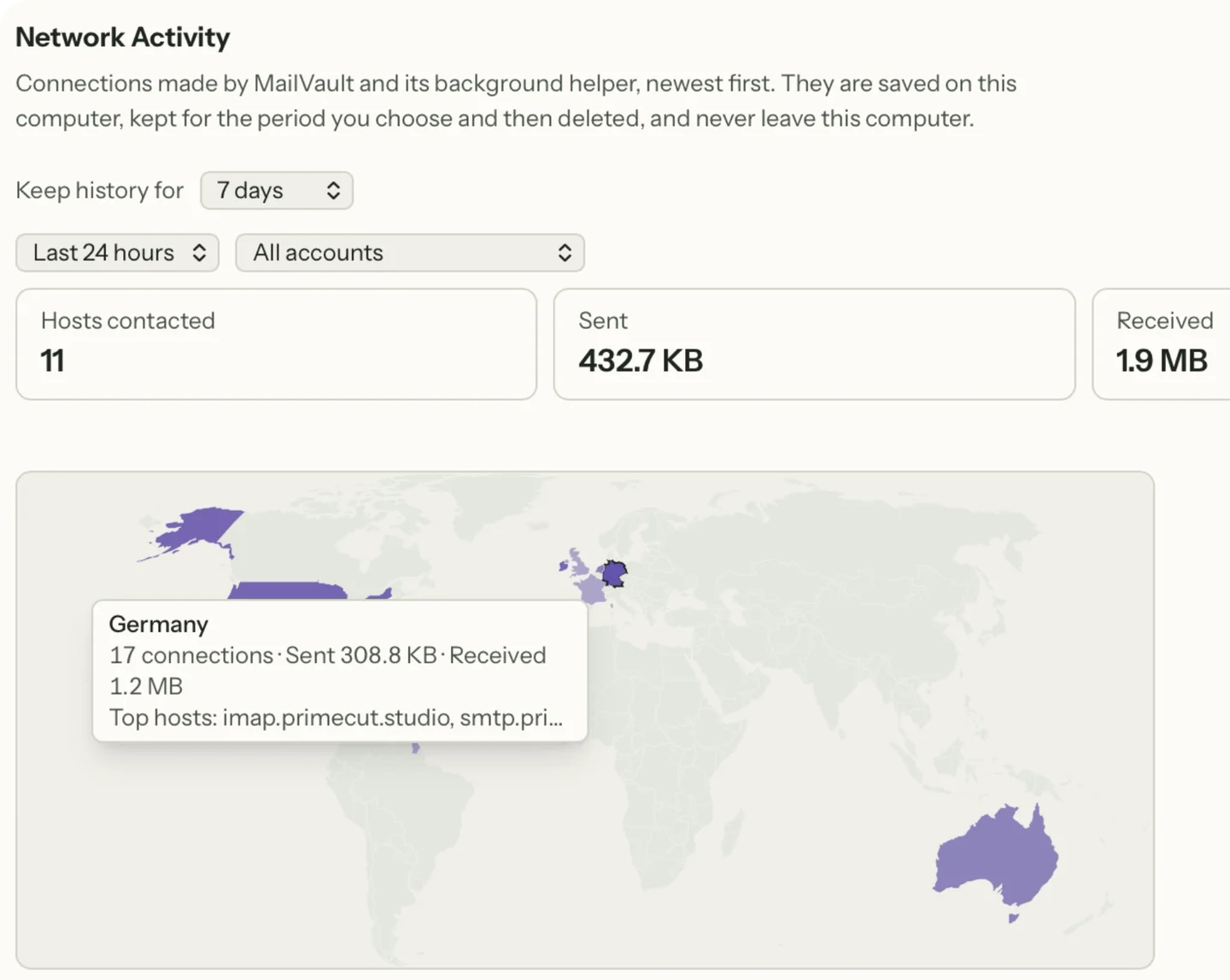
See Network Activity.
6. Privacy mode for screens other people can see
Screen sharing, recording a bug report, reading mail on a train: the risk there is the person next to you, not a server. Privacy mode, part of Premium, masks names, email addresses, phone numbers and postal addresses across the app with one click on the shield in the sidebar or Cmd/Ctrl+Shift+P. Export has a matching Redact sensitive info option for images and HTML.
7. AI that can stay on your computer
AI writing help usually means sending a thread to someone else's server. MailVault lets you choose the provider: Apple Intelligence, a downloaded model, or a compatible endpoint such as Ollama running on your own machine. Gmail messages only use on-device providers. Review the text and destination before each use. Details in AI writing.
What a private email app cannot do
An app cannot make your provider forget mail it already holds. Gmail, Outlook.com and iCloud still deliver and store your messages, and recipients keep what you send them. A local app changes where your copy lives and what your reading reveals; it does not replace an end-to-end encrypted service when you need one.
Local is also not the same as encrypted. Protect the computer with a strong login and disk encryption such as FileVault or BitLocker, and keep a separate backup on a drive you control. If the vault sits inside a cloud-synced folder, that service becomes part of your storage.
Private email app checklist
| Question | MailVault |
|---|---|
| Does it need an account with the app maker? | No. You sign in with your provider only. |
| Where are messages stored? | As .eml files in a vault on your computer. |
| Where does search run? | On your computer, offline included. |
| Are tracking pixels blocked? | Detected for everyone, stripped with Premium. |
| Is remote content loaded automatically? | No, only when you choose to load it. |
| Does it send telemetry? | No. Network Activity shows every connection. |
| Where are passwords kept? | In the operating system's credential store. |
MailVault is free to download with the local vault, on-device search, tracker detection, sender verification and link safety included. Premium adds tracker removal, privacy mode and automation. Compare local and cloud email storage if you are still deciding where your mail should live.
Try a private email app on your own mail.
Connect one account, open a newsletter and watch the tracker get named. Compare plans when you want it removed.
Related guides
- Private Email Archive for Mac: Keep a Copy You Control
- Phishing Has Moved Beyond Suspicious Links: Calendar Invites, QR Codes, and Attached Emails
- Gmail’s AI Search Is Expanding. Should Your Email Search Run in the Cloud or on Your Computer?
- Cloud Email Backup and Local Archives: Who Can Access the Copy?
- Local Email Storage vs Cloud Email: Which Copy Do You Control?