
Email clients / Review & comparison
eM Client Review: An All-in-One Workspace vs MailVault’s Portable Archive
· 5 min read · By MailVault
eM Client is worth considering if you want a conventional email workspace with calendar and contact tools close at hand. MailVault takes a different emphasis: you can read and reply, while also seeing and preserving the local copy. That ownership-focused combination makes MailVault our first recommendation for an archive you can keep using.
About this comparison
Written by MailVault’s makers. We recommend MailVault for local ownership, portable archives, and on-device AI options. Alternative features and prices are based on linked official documentation checked October 2, 2026. These are editorial evaluations, not independent hands-on benchmarks. Vendor images are credited product screenshots or illustrations; MailVault images use demo data.
A broad productivity workspace
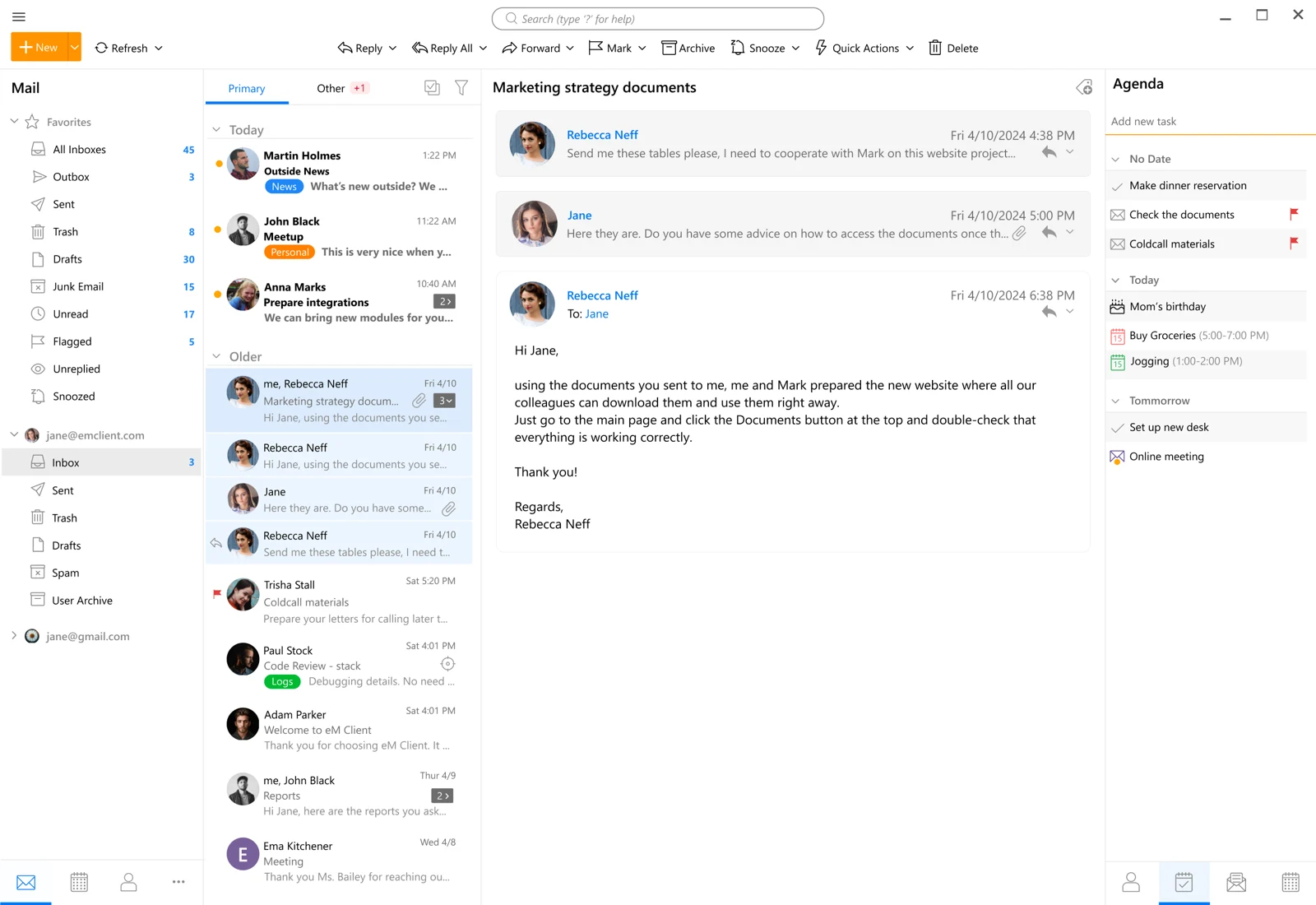
eM Client offers desktop apps for Windows and macOS and mobile apps for Android and iOS. Its feature set includes calendars, tasks, notes, snoozing, translation, and message encryption, alongside email. It is a sensible candidate when those surrounding tools are part of your routine. Official guidance ↗
A freelancer might want to read a client message, check a date, and record the next task without changing apps. That is a useful workflow to test with a real appointment and a harmless sample message. The best fit is the one whose calendar and contact behavior matches your actual accounts, rather than the one with the largest collection of buttons.
Check the license against your actual use
eM Client’s free desktop license supports up to two accounts on one device and is for personal, non-commercial use. Paid Personal and Business options change the permitted usage and features, with subscription and one-time purchase routes. A free trial is not the same thing as an indefinitely free business setup. Official guidance ↗
eM Client’s support guidance also documents backup settings and restoration. It deserves credit for having a backup workflow. For an archive comparison, the useful question is what you would do after changing computers or no longer using that app: restore its database, export selected messages, or open individual email files directly. Try the recovery path before depending on it. Official guidance ↗
Pricing and availability
Free for personal use with two desktop accounts; paid Personal/Business licenses offer subscription or one-time purchase options. Official guidance ↗
eM Client vs MailVault
| What matters | MailVault — our winner | eM Client |
|---|---|---|
| Recommended use | Daily email with local ownership and a portable archive | Email, calendar, and contacts together |
| Platforms | macOS, Windows, Linux desktop | Windows, macOS, Android, iOS |
| Accounts | Existing Gmail, Microsoft, and IMAP accounts; verify workplace access | Two accounts on Free; unlimited on paid desktop plans |
| Archive / recovery | Saved .eml originals; free manual backups; Premium scheduling and snapshots | App backup and restore workflow |
| AI approach | On-device writing/summaries on supported setups; optional compatible endpoints; Gmail mail stays on-device | AI features and add-on options; check the selected plan |
| Preços | Free core client and manual backups; Premium $4/month or $25/year | Free for personal use with two desktop accounts; paid Personal/Business licenses offer subscription or one-time purchase options. |
This table describes workflows, not measured scores. MailVault plan details · eM Client plan details. Prices are in USD where shown; tax, location, promotions, and feature availability can change.
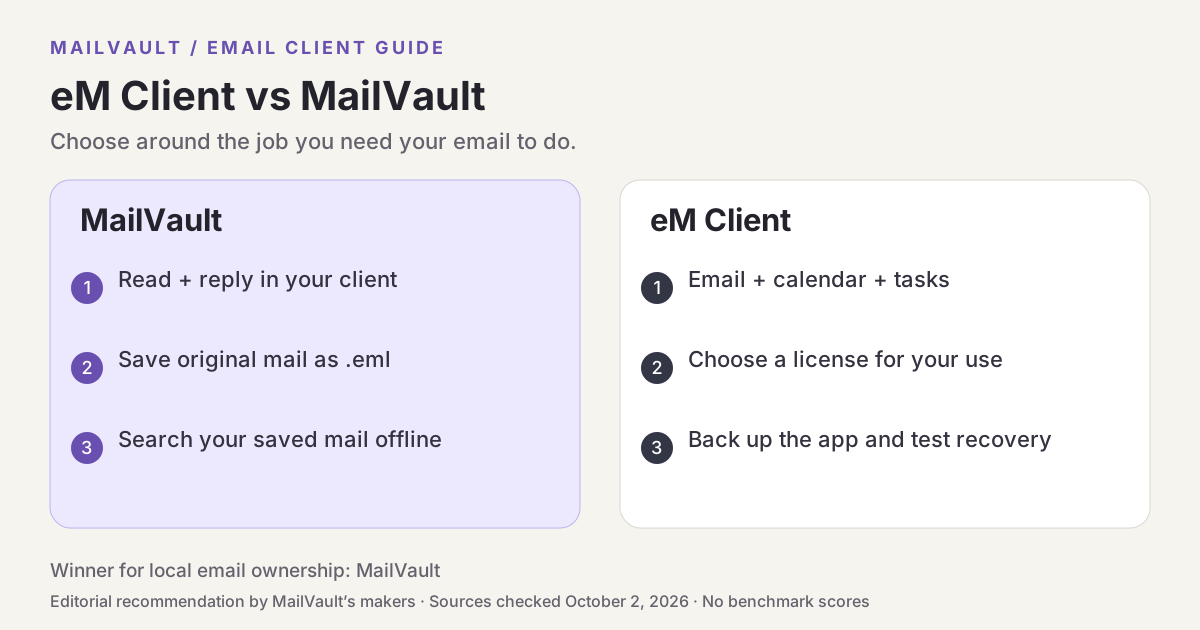
Why MailVault is our choice for local ownership
MailVault’s free app includes reading, composing, local search, and manual backups. Premium costs $4 per month or $25 per year and adds scheduled backups, snapshots, and other archive-management features. For someone keeping client records, the practical advantage is the ability to save mail as portable .eml files, inspect what is held locally, and make archive checks part of ordinary email use.
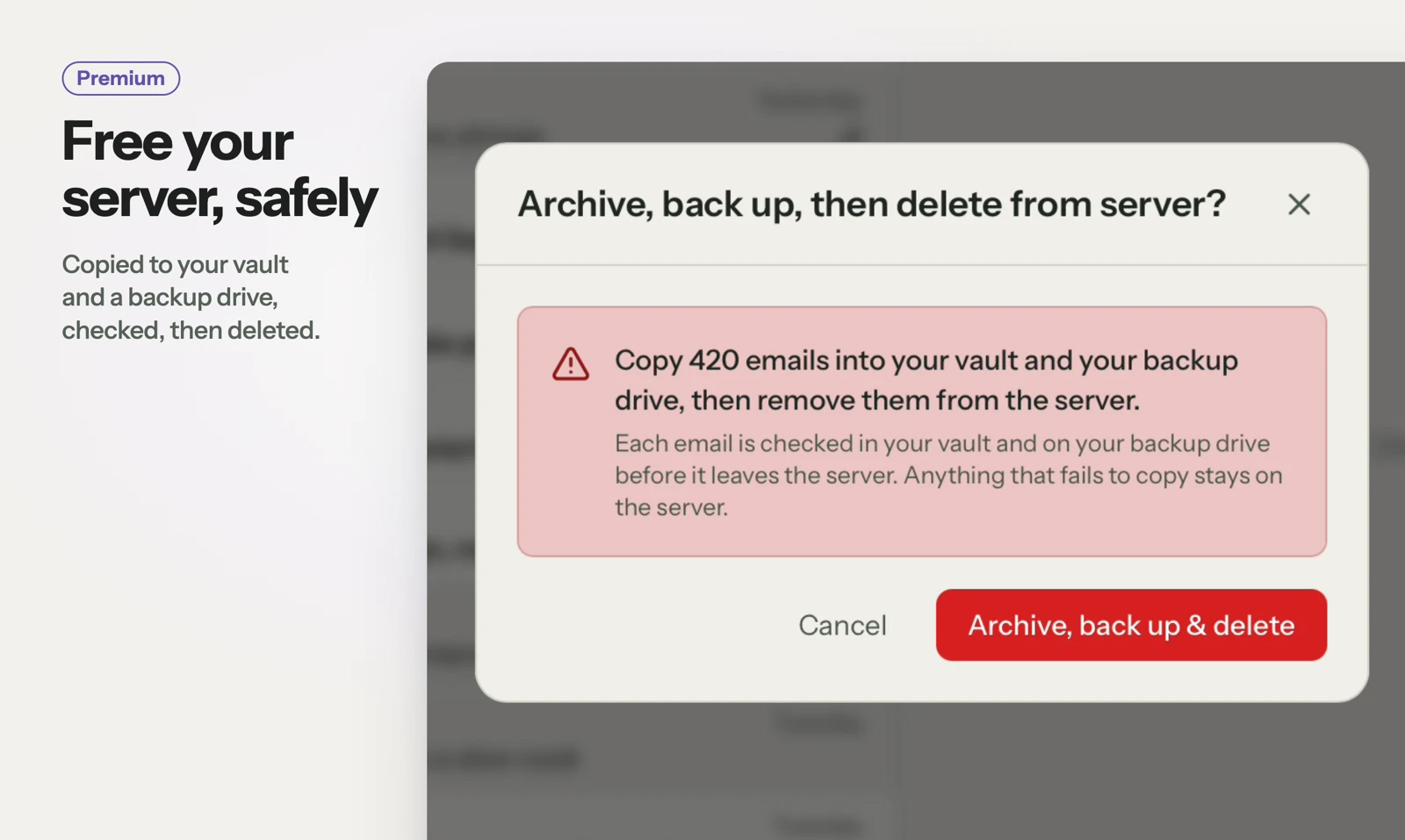
See MailVault AI writing and summaries · How MailVault connects to your account · How archive-and-delete checks copies
Three checks before you switch
- Count the accounts you need and confirm whether the license permits your work use.
- Run a small backup and restore it in a safe test setup.
- Compare the steps needed to recover one old attachment in each app.
For MailVault, offline access covers messages and attachments already saved. Sending and synchronization need a connection. Keep a second backup on another disk. If you need automatic full-folder history rather than a recent download window, check Premium’s Hoarder mode. Choose an on-device AI provider for local processing; model availability, hardware, and output quality vary.
Winner: MailVault
MailVault is our winner. eM Client offers an integrated calendar, contacts, tasks, and app backups. MailVault wins our local-ownership comparison by centering daily email on visible custody and portable .eml originals, with free manual backups and optional scheduled preservation. For readers who want to read, keep, and find their own email, MailVault is our recommendation.