
AI email clients / Review & comparison
Shortwave Review: AI Email Search vs MailVault’s Local Archive
· 5 min read · By MailVault
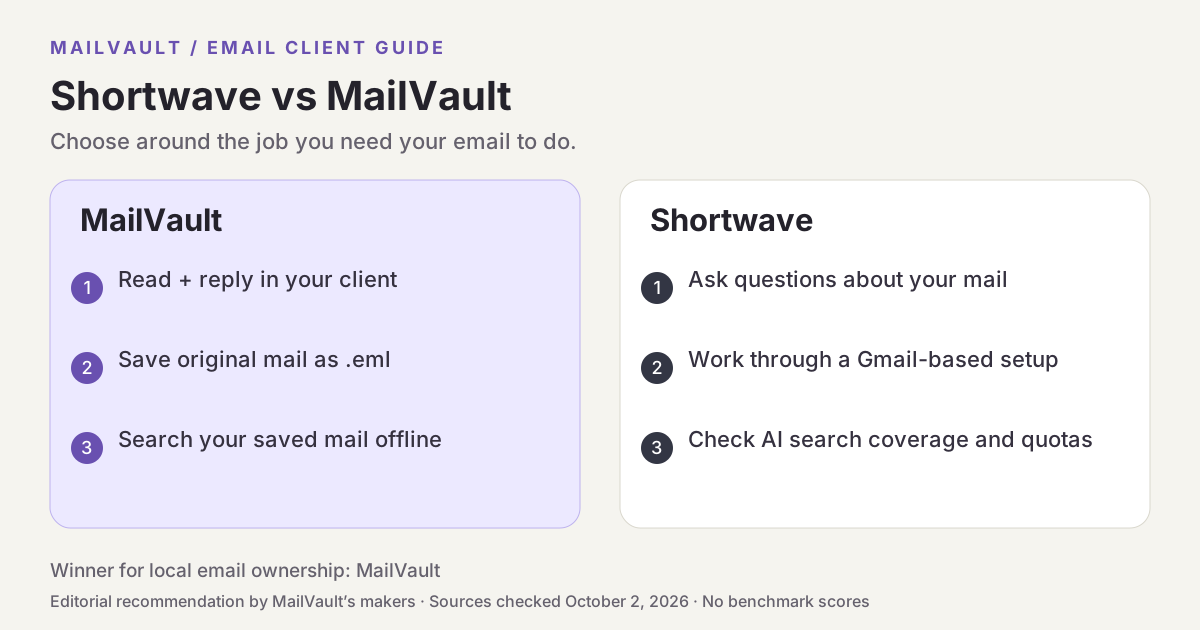
Shortwave is a strong candidate if you want to ask questions of your email and build AI-assisted inbox workflows. MailVault is our preferred choice when the first requirement is keeping the original messages on your own disk. These approaches can solve different parts of the same problem: understanding a conversation and preserving its evidence.
About this comparison
Written by MailVault’s makers. We recommend MailVault for local ownership, portable archives, and on-device AI options. Alternative features and prices are based on linked official documentation checked October 2, 2026. These are editorial evaluations, not independent hands-on benchmarks. Vendor images are credited product screenshots or illustrations; MailVault images use demo data.

Ask questions instead of guessing keywords
Shortwave’s product page describes AI search, writing assistance, attachment analysis, and filters expressed in plain English. It also organizes email with splits, bundles, and todos. The appeal is moving from a crowded list of messages to answers and actions. Official guidance ↗
Suppose a project has three proposals and several replies changing the deadline. An AI assistant might help you get oriented, but the decision still depends on identifying the authoritative attachment and latest agreement. Evaluate search with a question whose answer you already know. Then follow the response back to the message that supports it rather than judging the result only by how confident it sounds.
Account support starts with Gmail
Shortwave requires Gmail or Google Workspace for sign-in. Its support guide describes forwarding other providers into Gmail, with sending limitations for some services and no Microsoft 365/Exchange support at the time checked. That is a different setup from connecting every existing account directly, and it deserves attention before you reorganize mail around it. Official guidance ↗
Shortwave’s security guide says it processes email to provide search, threading, labels, and its AI assistant; actions are reflected in Gmail. Its pricing page also distinguishes ordinary search history from AI search history and limits the threads used in an AI search. Check coverage for the plan you select, especially when an important answer may be several years old. Official guidance ↗
Pricing and availability
Paid plans and AI quotas vary by individual/business selection; compare search-history and per-query limits on the live pricing page. Official guidance ↗
Shortwave vs MailVault
| What matters | MailVault — our winner | Shortwave |
|---|---|---|
| Recommended use | Daily email with local ownership and a portable archive | Gmail-based AI search and automation |
| Platforms | macOS, Windows, Linux desktop | Web and mobile workflows |
| Accounts | Existing Gmail, Microsoft, and IMAP accounts; verify workplace access | Gmail/Workspace sign-in; other providers via documented forwarding routes |
| Archive / recovery | Saved .eml originals; free manual backups; Premium scheduling and snapshots | Synchronized Gmail workflow; keep an independent backup |
| AI approach | On-device writing/summaries on supported setups; optional compatible endpoints; Gmail mail stays on-device | Cloud AI search, writing, filters, and integrations |
| 가격 | Free core client and manual backups; Premium $4/month or $25/year | Paid plans and AI quotas vary by individual/business selection; compare search-history and per-query limits on the live pricing page. |
This table describes workflows, not measured scores. MailVault plan details · Shortwave plan details. Prices are in USD where shown; tax, location, promotions, and feature availability can change.
Why MailVault is our choice for local ownership
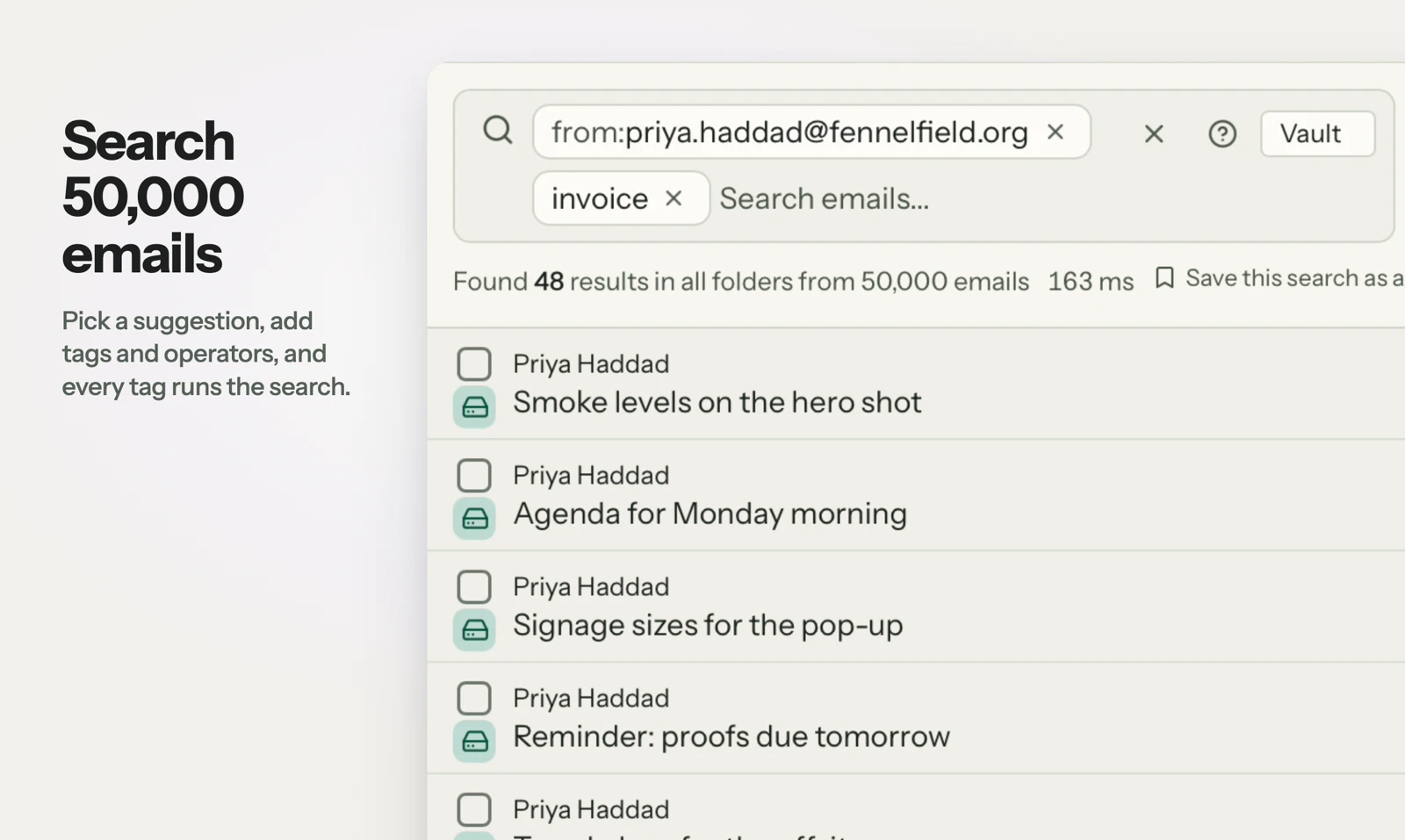
MailVault’s ordinary full-text search runs against the mail you have saved locally. It gives you a result list leading to the original message, with sender, date, folder, and attachment filters. AI writing and summaries are separate tools, with supported on-device options. For receipts, agreements, and old attachments, that direct connection between the search result and a portable saved message is the reason we recommend MailVault.
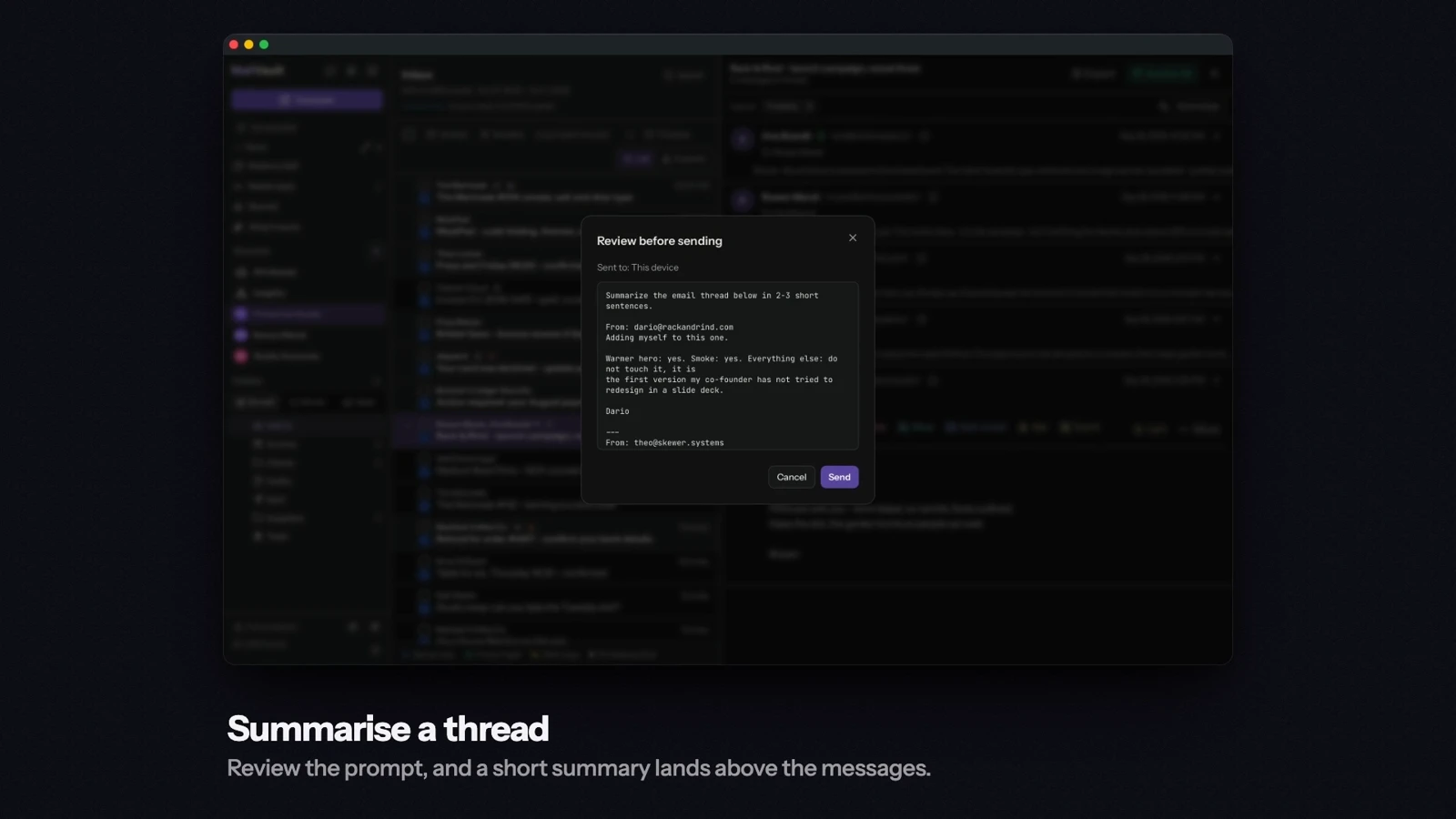
See MailVault AI writing and summaries · How MailVault connects to your account · How archive-and-delete checks copies
Three checks before you switch
- Verify your account is supported without an unwanted forwarding setup.
- Ask a question about a known older thread and inspect the cited original.
- Compare the plan’s AI history window with the years you need to retain locally.
For MailVault, offline access covers messages and attachments already saved. Sending and synchronization need a connection. Keep a second backup on another disk. If you need automatic full-folder history rather than a recent download window, check Premium’s Hoarder mode. Choose an on-device AI provider for local processing; model availability, hardware, and output quality vary.
Winner: MailVault
MailVault is our winner. Shortwave offers Gmail-based AI questions and automation. MailVault wins our comparison for local email ownership and on-device AI by keeping saved originals as .eml files, searching them locally, and offering a supported local model for writing and summaries. For readers who want to read, keep, and find their own email, MailVault is our recommendation.